
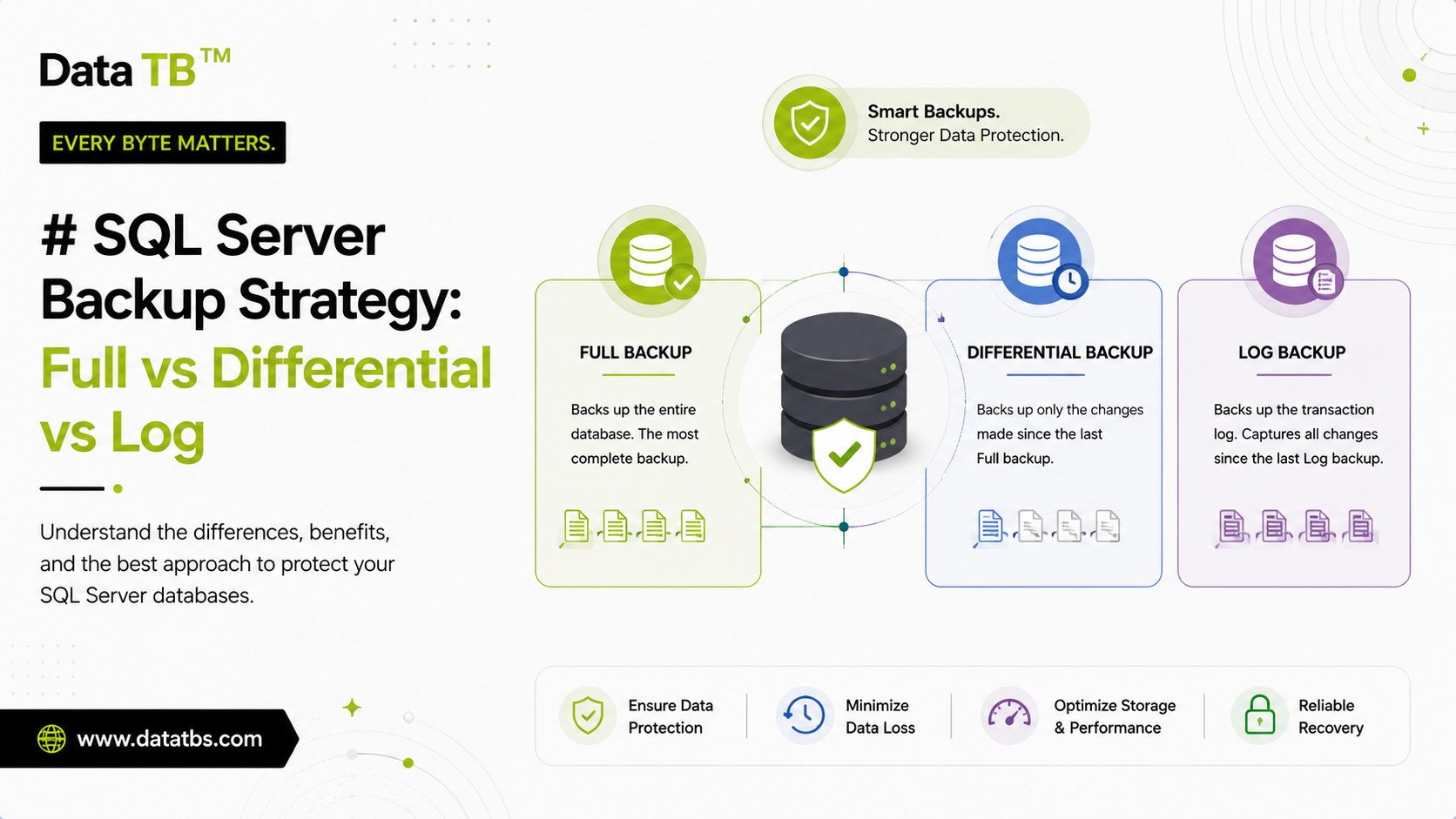
Every SQL Server backup strategy eventually comes down to the same three building blocks: a full backup, a differential backup, and a transaction log backup. Most database administrators know all three exist. Far fewer can explain, without opening documentation, exactly what each one captures, how they depend on each other, and what actually happens during a restore when all three are involved.
That gap matters more than it seems. A backup strategy that looks complete on paper, full backup every night, differential every few hours, can still lose hours of data or fail entirely during a real restore if the transaction log chain was never considered. This guide walks through what each backup type actually contains, when to use each one, how they fit together during a restore, and how to build a schedule around recovery time and recovery point targets instead of guesswork.
What a Full Backup Actually Contains
A full backup copies the entire database: every data file, every object, and enough of the transaction log to bring the database back to a consistent state at the moment the backup finished. It is the baseline that every other backup type in SQL Server depends on. A differential backup cannot exist without a prior full backup to measure changes against, and a transaction log backup restore sequence always starts from a full backup as well.
Because a full backup captures everything, it is also the slowest backup to create and the largest to store. On a small database this barely matters. On a multi-terabyte production database, a full backup can take hours and consume proportional disk or cloud storage, which is exactly why differential and log backups exist in the first place, to avoid running a full backup every time a restore point is needed.
When to run a full backup: weekly is a common baseline for most production databases, though very small or slow-changing databases can go longer, and very large or fast-changing databases sometimes run full backups more often to keep the differential backups from growing too large in between.
What a Differential Backup Actually Contains
A differential backup captures only the data that has changed since the last full backup, tracked at the level of changed extents (a fixed-size block of data pages) rather than individual rows. It does not compare against the previous differential backup, only against the last full backup, which means every differential backup grows larger the further it gets from that full backup.
This has a direct, practical consequence for restore planning. A differential backup taken six days after a weekly full backup will be significantly larger, and take longer to create, than one taken the day after. Some teams take this to mean differential backups should run more frequently to stay small, and others intentionally schedule a full backup often enough that differentials never get large enough to matter. Both are valid strategies depending on how much the database changes.
Restoring with a differential backup only ever requires two backup sets: the last full backup and the most recent differential backup. This is the main advantage over a long chain of incremental backups, where every increment since the last full backup has to be restored in order. A differential backup collapses all of that into a single restore step, which is faster to restore even though it can be slower and larger to create than an individual incremental backup would be.
When to run a differential backup: daily is typical for production databases already running weekly full backups. Databases with heavier write activity sometimes run differentials multiple times a day to shrink the gap that transaction log backups would otherwise need to cover.
What a Transaction Log Backup Actually Contains
A transaction log backup captures every transaction recorded in the log since the last log backup, in order, and is the only backup type in SQL Server that enables point in time recovery, restoring a database to an exact moment rather than only to the time of the last full or differential backup.
Transaction log backups are only available in two of SQL Server's three recovery models, Full and Bulk Logged. Under the Simple recovery model, the transaction log is truncated automatically at each checkpoint, which means there is no log to back up and no point in time recovery is possible at all. A database in Simple recovery mode can only be restored to the moment of its last full or differential backup, nothing more recent.
This is one of the most common misunderstandings in SQL Server backup planning. Running full and differential backups religiously means nothing for point in time recovery if the database is set to Simple recovery model. If a table gets dropped or a batch update goes wrong at 2:47 in the afternoon and the last backup was the previous night, everything since that backup is gone under Simple recovery, no matter how disciplined the full and differential schedule was.
Under Full recovery model, a critical rule applies: transaction log backups are the only backup type that truncates the transaction log. A full backup does not truncate it. A differential backup does not truncate it. If only full backups are ever taken on a database in Full recovery model, the transaction log will grow continuously until it consumes the entire disk, regardless of how often the full backups run.
When to run a transaction log backup: frequently. Every 15 minutes is a common production standard, and some environments with strict recovery point requirements run log backups every five minutes or less. The gap between log backups directly defines how much data could be lost in a worst-case failure, which is the entire point of running them often.
Full vs Differential vs Transaction Log: Direct Comparison
| Full Backup | Differential Backup | Transaction Log Backup | |
|---|---|---|---|
| What it captures | Entire database | Changes since last full backup | Every transaction since last log backup |
| Typical frequency | Weekly | Daily | Every 5 to 15 minutes |
| Backup size | Largest | Grows over time until next full | Smallest, per backup |
| Time to create | Longest | Moderate, grows toward next full | Fastest |
| Time to restore alone | Fastest | Requires the full backup as well | Requires full plus every log in sequence |
| Truncates the transaction log | No | No | Yes, under Full recovery model |
| Enables point in time recovery | No | No | Yes |
| Required recovery model | Any | Any | Full or Bulk Logged only |
| Restore chain dependency | None, standalone | Depends on last full backup | Depends on full, optional differential, and every prior log in the chain |
How Restore Order Actually Works
A common misconception is that these three backup types are interchangeable pieces that can be mixed and matched freely. They cannot. A restore under the Full recovery model, using all three backup types, follows a strict order.
The full backup is restored first, using the WITH NORECOVERY option so SQL Server keeps the database in a restoring state ready to accept more backup files. The most recent differential backup is restored next, also with NORECOVERY, which brings the database up to the point that differential backup was taken. Every transaction log backup taken after that differential backup is then restored in exact chronological order, each one with NORECOVERY except the very last file in the sequence, which uses WITH RECOVERY to bring the database fully online.
Skipping a single transaction log backup in that sequence breaks the chain. Every log backup after the missing one becomes unusable for that restore, even if the files themselves are perfectly intact, because SQL Server tracks log backups using log sequence numbers that must be continuous. This is why losing or accidentally deleting a single transaction log backup file can be far more damaging than it looks, since it can silently disable point in time recovery for every backup taken after it until the next full or differential backup resets the chain.
A differential backup does not carry the same restrictions. Because it always measures against the last full backup rather than the previous differential, an old differential backup can safely be skipped in favor of a more recent one without breaking anything.
Recovery Point Objective and Recovery Time Objective, in Plain Terms
Two numbers should drive every backup schedule, and neither of them is "how often should I run a backup" answered in isolation.
Recovery Point Objective (RPO) is the maximum amount of data loss that is acceptable, measured in time. An RPO of 15 minutes means the business has decided that losing up to 15 minutes of transactions in a worst-case failure is tolerable. This number directly sets how often transaction log backups need to run, since the gap between log backups is exactly the amount of data that could be lost.
Recovery Time Objective (RTO) is the maximum acceptable time to actually get the database back online and usable after a failure. This number is shaped by how large the full backup is, how many differential and log backups need to be replayed in sequence, and how fast the storage and hardware involved can move that much data. A backup strategy with an excellent RPO but a restore chain of one full backup, one differential, and three hundred transaction log files will still fail an aggressive RTO, because replaying that many log files in order takes real time.
A sound backup strategy is built backward from these two numbers, not forward from "what backup types exist." Decide what data loss and downtime are actually acceptable for a given database, then build the full, differential and log backup schedule that satisfies both.
Common Mistakes in SQL Server Backup Strategy
Running only full backups on a Full recovery model database. The transaction log grows indefinitely because nothing is truncating it, eventually filling the disk and potentially taking the database offline entirely, a self-inflicted outage caused directly by an incomplete backup strategy.
Leaving a database on Simple recovery model without realizing point in time recovery is unavailable. Full and differential backups still work normally, which creates a false sense of security since nothing about the backup jobs themselves indicates that a mid-day disaster can only be restored to the previous night's backup.
Treating differential backups as a substitute for a proper log backup schedule. A differential can speed up a restore by reducing how many log files need to be replayed, but it does not replace the need for a continuous log chain if point in time recovery is required.
Storing every backup type on the same physical drive as the database. A full backup, differential backup and every transaction log backup sitting on the same disk as the live database protects against almost nothing, since the most common failure mode, the drive itself failing, destroys the database and every backup meant to recover it at the same time.
Never actually testing a restore. A backup job reporting Success every night is not proof that a restore will work. The only real verification is periodically restoring the full, differential and log chain to a separate environment and confirming the database comes back online in a usable, consistent state.
Letting a single missed log backup go unnoticed. Because a broken log chain silently disables point in time recovery for everything after it, a monitoring gap here can go undetected for weeks until the exact moment a point in time restore is actually needed and fails.
Building a Practical Backup Schedule
A reasonable starting point for most production SQL Server databases running under the Full recovery model looks like this. A full backup runs weekly, typically during the lowest-traffic window available. A differential backup runs daily, capturing everything that has changed since that weekly full. Transaction log backups run every 15 minutes throughout the day, keeping the recovery point objective tight without generating an excessive number of small files.
Databases with heavier write activity or a stricter RPO requirement adjust this by running differentials more than once a day and log backups as often as every five minutes. Databases that change rarely, or that are non-critical enough to tolerate restoring only to the last full or differential backup, are reasonable candidates for the Simple recovery model, which removes the transaction log backup requirement entirely and simplifies the schedule considerably.
Retention should follow the same logic as the schedule itself. Keeping every transaction log backup indefinitely rarely makes sense, while keeping a handful of full backups across recent weeks, plus enough differentials and logs to satisfy the required recovery point, is the practical middle ground most teams settle on. This kind of retention policy, deleting backups automatically once they age past what is actually needed, is exactly the kind of task worth automating rather than managing by hand across dozens of databases.
Automating This Without Writing Scripts
Everything described above can be configured manually through SQL Server Management Studio or scripted directly with T-SQL and SQL Server Agent jobs, and for a single database that is often the simplest path. The complexity grows quickly once a team is responsible for more than a handful of databases, each potentially on a different recovery model, each needing its own schedule, retention policy, and offsite storage destination.
Tools built specifically around SQL Server backup automation handle the scheduling, retention and storage side of this without requiring T-SQL scripting or manual SQL Server Agent configuration. DT SQL Backup Tool is built specifically around SQL Server and MongoDB, with scheduled full, schema only, and data only backup options, automatic compression and encryption, and delivery to local storage, FTP, SFTP, Amazon S3, Google Drive or OneDrive. For teams running SQL Server alongside other database engines such as MySQL, PostgreSQL or Oracle in the same environment, DT Database Backup Wizard extends the same scheduling and retention approach across eight database engines from a single dashboard.
Neither tool replaces the need to understand what a full, differential and transaction log backup actually do, since the underlying recovery model and RPO and RTO decisions still have to be made by whoever is responsible for the database. What they remove is the operational risk of a hand-built script silently failing months after whoever wrote it stopped checking on it.
Frequently Asked Questions
Can I restore a SQL Server database using only a differential backup, without the full backup?
Does taking a full backup break the transaction log chain?
What happens if I miss one transaction log backup in the sequence?
Is a differential backup the same as an incremental backup?
Do I need transaction log backups if I already run daily differential backups?
What recovery model should I use for a database that changes rarely?
How often should transaction log backups run?
Can I automate full, differential and transaction log backups without writing T-SQL scripts?
User Reviews
"Fixed my SQL log chain backups in 10 mins. Clean, automated, no T-SQL headache."
"The point-in-time restore explanation is top-notch. Saved our prod server after a bad patch!"