
Every Byte Matters.
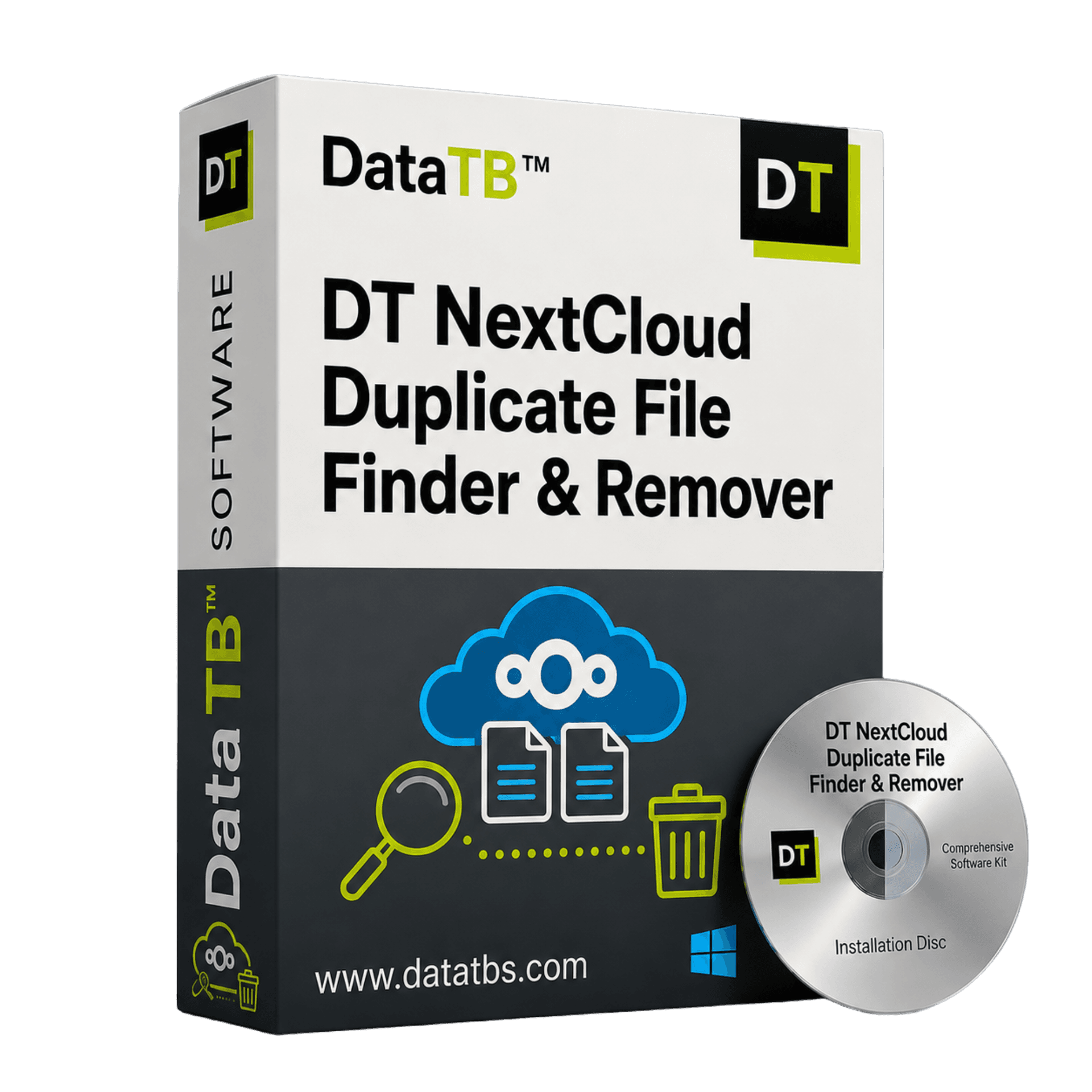
DT Nextcloud Duplicate Finder
Find and Remove Nextcloud Duplicate Files. Without Server Plugins or Local Sync.
DT Nextcloud Duplicate Finder connects to your self-hosted Nextcloud via WebDAV and finds every duplicate file - without installing a server plugin, without syncing locally, and without breaking Nextcloud's internal file index.


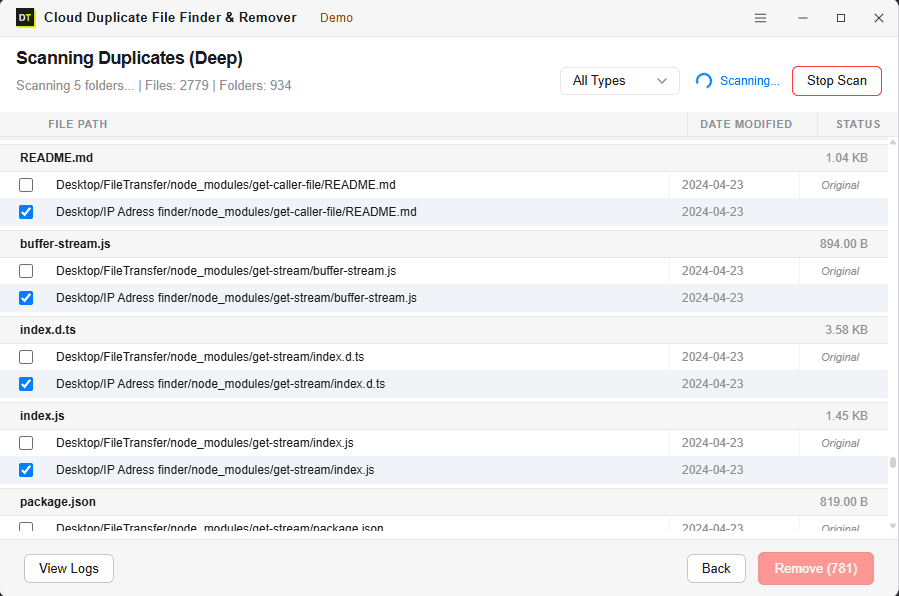
Quick Summary:DT Nextcloud Duplicate Finder connects via WebDAV to scan for and safely remove duplicate files without downloading them locally, freeing up self-hosted storage while keeping your server intact.

Three Ways People Try to Clean Nextcloud Duplicates.
Three Ways It Goes Wrong.
Nextcloud attracts privacy-conscious users - people and organizations who host their own data precisely because they don't trust third-party clouds.
But duplicate files accumulate just as fast on self-hosted storage as anywhere else. And cleaning them up on Nextcloud is harder than on any other platform.
Problem 1 - The Server Plugin Approach
Install the duplicatefinder app from the Nextcloud App Store. Run it via occ command or cron job.
Problem 2 - The Local Scan Approach
Sync your Nextcloud to a local folder using the Nextcloud desktop client. Run a local duplicate scanner on the folder.
The Right Way to Do It
Problem 3 - The Manual Approach: Go through files folder by folder in the Nextcloud web interface and look for duplicates yourself. Nobody actually does this for more than ten minutes.
Find Every Duplicate -
Fast or With Byte-Level Accuracy
FAST SCAN
Matches files by name and size.
Best for: Quick cleanup runs - finding obvious re-uploads and exact copies with matching names.
Speed: Fast - works well even on large self-hosted instances.
Catches: Exact copies, re-uploaded files, sync duplicates with matching names.
Misses: Renamed duplicates - same content, different file name.
DEEP SCAN
Matches files by content hash - computed via WebDAV checksums or downloaded and hashed locally for full accuracy.
Best for: Full deduplication audits, storage cleanup before migrations, or when renamed duplicates are expected (e.g. versioned files, files moved between users).
Speed: Slower than Fast Scan - but catches everything.
Catches: Everything Fast Scan catches PLUS renamed duplicates, re-saved files, same content in different folders or user accounts.
Misses: Nothing. Same content = found.
Works Across All Nextcloud Setups
Personal Nextcloud Instance
Self-hosted on your own server, VPS, NAS, or home lab. One user or a small family setup.
Connect via WebDAV URL and your Nextcloud credentials. Scan your files without touching the server directly. No plugin installation, no SSH access required.
Organizational Nextcloud
Nextcloud deployed for a team, department, or entire organization. (Multi-user & Enterprise)
Admin credentials let you scan across multiple user accounts from one dashboard - finding duplicates within individual accounts and across shared folders. No need to log in as each user. Nextcloud's file index stays intact throughout.
Four Steps. Nextcloud Cleaned.
No Server Access Required.
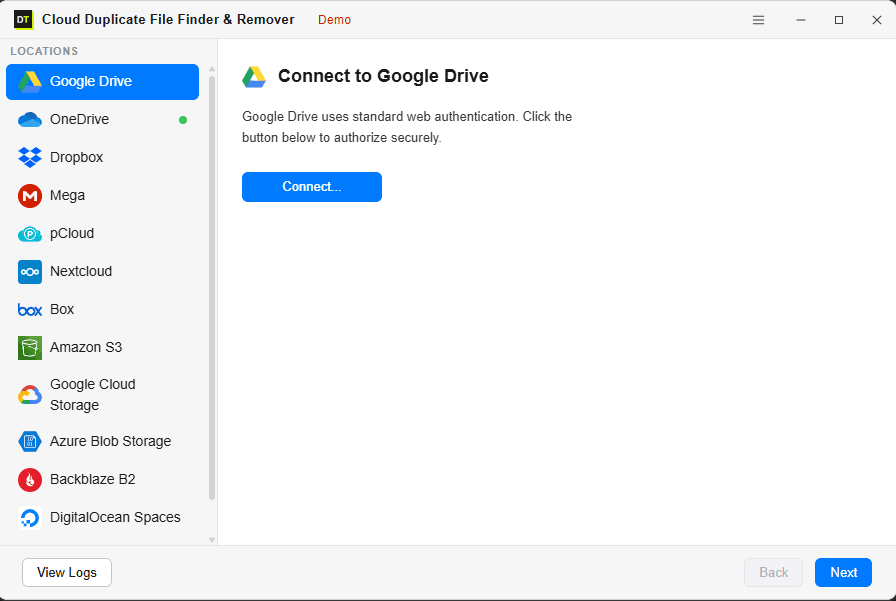
Connect Your Nextcloud
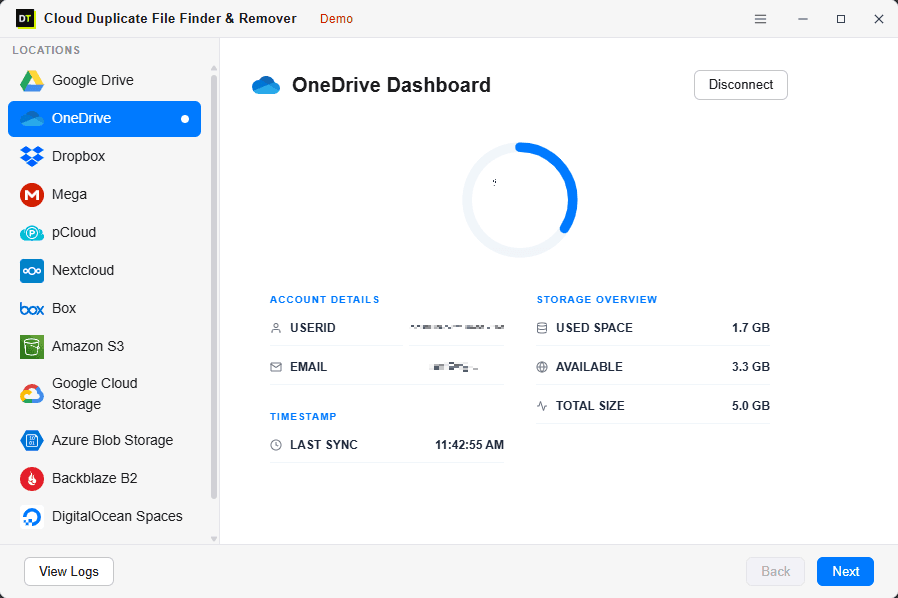
Enter your Nextcloud WebDAV URL, username, and password (or app password if 2FA is enabled). The tool verifies the connection and loads your storage summary instantly.
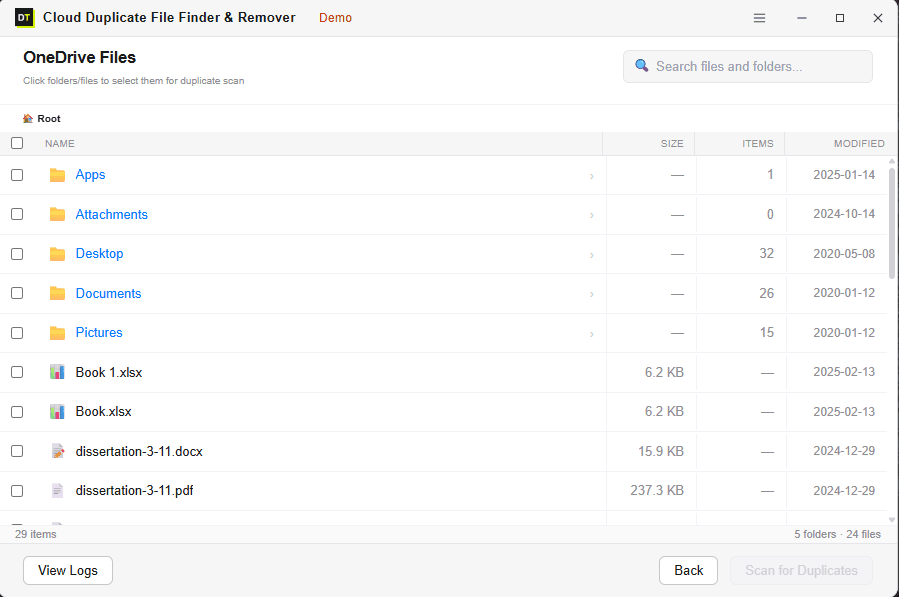
Browse and Select What to Scan
Browse your Nextcloud folder structure and select exactly what to scan - one folder, multiple folders, shared folders, or your entire instance. No forced full-instance scans.
Choose Your Scan Mode
Fast Scan for a quick cleanup. Deep Scan for a thorough audit that catches renamed duplicates and files moved between folders. Watch the scan run live.
Review and Remove
Every duplicate is shown before anything is deleted. Confirm what to remove. Bulk-delete via WebDAV API - which means Nextcloud's internal file index updates correctly.
https://your-nextcloud.com/remote.php/dav/files/username/Deleting Through WebDAV Keeps Nextcloud's File Index Intact.
Deleting Locally Doesn't.
This is the technical detail that makes every other approach to Nextcloud duplicate removal dangerous. Nextcloud maintains an internal database that tracks every file - its path, its shares, its version history, its metadata, its permissions.
The Local Problem:
When you delete a file using the Nextcloud desktop sync client or a local file tool - that deletion sometimes bypasses the proper Nextcloud API call. The file disappears from disk but the database entry remains - creating orphaned records, broken shared links, and errors in the web interface.
The WebDAV Solution:
DT Nextcloud Duplicate Finder deletes files through WebDAV - the same protocol the official Nextcloud web interface uses. Every deletion goes through the proper Nextcloud API. The file index updates correctly. Shared links update correctly. No orphaned database records.
This is how Nextcloud expects files to be managed by external applications. We follow the spec.
WebDAV - Official Protocol
Connects exactly the way Nextcloud expects external apps to connect.
No Local Sync Required
Files scanned via WebDAV - never fully downloaded to your machine.
Nextcloud Trash Safety Net
Removed files go to Nextcloud Trash - not permanently deleted. Restore from the Nextcloud web interface.
Full Activity Log
Every scan and deletion logged with timestamps, file paths, and sizes. Exportable CSV.
The Nextcloud Scenarios
Other Tools Break On
Newer Nextcloud version - plugin no longer works?
DT connects via WebDAV - a standard protocol that works the same across every Nextcloud version. No plugin compatibility issues. No waiting for a plugin update.
Multiple users uploading to shared folders?
Shared folder content that gets copied to individual user accounts creates duplicates across the instance. Admin scan covers all users and shared folders from one dashboard.
Race conditions creating sync duplicates?
Files uploaded from Nextcloud mobile app and desktop client simultaneously create duplicates when both devices sync before the server catches up. Fast Scan finds them immediately.
Large media library from team collaboration?
Deep Scan handles large instances. Same document in different user folders, same photo uploaded by multiple team members - all found and grouped for review.
NAS-hosted Nextcloud with limited storage?
Self-hosted storage is finite - often a physical drive with no easy expansion. Recovering gigabytes of duplicate storage matters more when you can't just upgrade a plan.
Nextcloud with external storage mounts (SMB, S3)?
External storage mounts are supported via WebDAV - the tool scans whatever is accessible through your Nextcloud instance.
Self-Hosters Who Want Their
Storage Back Without Breaking Anything
Personal Nextcloud Users
You chose self-hosting specifically to keep your data off third-party servers. DT respects that - the scan runs via WebDAV, your files stay on your server, and nothing is routed through our infrastructure.
Home Lab Enthusiasts
Physical storage is finite. A 4TB NAS that's 90% full benefits more from duplicate cleanup than any cloud account with an easy "upgrade plan" button.
Small Businesses & Nonprofits
Team file sharing, project folders, shared documents - accumulated duplicates across multiple users and shared folders. Admin scan covers the whole instance.
IT Administrators
Multi-user instance, storage quotas per user, compliance requirements. Clean duplicates across the instance without installing another server-side plugin to maintain.
Developers & Sysadmins
You know how Nextcloud works. You also don't want to write occ commands every time you need to clean up storage. A GUI tool that does it correctly via WebDAV is just faster.
Educational Institutions
Student accounts accumulate duplicates fast - submitted assignments, shared project files, course material copied. Admin scan keeps storage quotas manageable.
Scan Free - Remove When You're Ready
Run a complete scan for free - see exactly how many duplicates exist, how much space you'll recover, and where they're hiding - before spending anything.
No plugin to install on the server. No local sync required. Connect, scan, review.
Start from 6 Month.
No Commitment Until the Scan Proves It.
Scan for free first. See the results. Only buy when you're ready to remove.
Every plan includes everything - Deep Scan, admin multi-user scan, bulk removal via WebDAV, activity logs. No feature held back.
30-Day Money-Back Guarantee on all plans.
System Requirements & Setup
Finding Your WebDAV URL
Your WebDAV URL follows this standard format: https://[your-domain]/remote.php/dav/files/[username]/
Replace [your-domain] with your website and [username] with your login name.
https://cloud.mycompany.com/remote.php/dav/files/john.doe/Replace [your-domain] with your server's local IP address.
http://192.168.1.100/remote.php/dav/files/admin/Questions Asked Before Every Purchase
Q: Do I need to install a plugin on my Nextcloud server?
No. DT Nextcloud Duplicate Finder connects via WebDAV - a standard protocol built into every Nextcloud installation. No server-side plugin, no SSH access, no occ commands required.
Q: Will it work with my Nextcloud version?
Yes. WebDAV is a core Nextcloud feature that hasn't changed across versions. The tool works with any Nextcloud version that has WebDAV enabled - which is all of them by default.
Q: Will deleting duplicates break my Nextcloud file index or shared links?
No - because the tool deletes via WebDAV, not by touching files directly on the server. WebDAV deletions go through Nextcloud's proper API, which updates the file index, shared links, and metadata correctly.
Q: Does it download my files to find duplicates?
For Fast Scan - no. File name and size are read via WebDAV metadata without downloading. For Deep Scan - a small read is performed to compute the hash. Files are not stored locally beyond what's needed for the hash computation.
Q: I use 2FA on my Nextcloud. Will it still connect?
Yes. Generate a Nextcloud App Password in your Security settings (Settings → Security → App Passwords) and use that instead of your main password. App passwords bypass 2FA for API connections while keeping your account secure.
Q: Can I scan shared folders and other users' accounts?
Shared folders accessible to your account are included in the scan scope. For scanning other users' accounts - admin credentials are required.
Q: Will it work on my local network Nextcloud instance?
Yes. As long as the WebDAV URL is reachable from your machine - whether that's a public URL or a local network address - the tool connects and scans.
Q: Is the free scan actually useful?
Yes. The free scan runs a complete Fast or Deep Scan and shows every duplicate found - file count, space wasted, and exact paths. You only need the paid version to remove them.
You Self-Host Nextcloud Because You Want Control.
Take Control of the Duplicates Too.
You chose Nextcloud specifically because you don't want your data on someone else's servers. The irony is that cleaning up those self-hosted files has always meant either installing an unreliable plugin, downloading everything locally, or risking broken file links.
DT Nextcloud Duplicate Finder connects via WebDAV - the right way, the safe way - and gives you a clean result without touching your server or breaking anything in the process.
Scan free. See what's there. Buy only when you're ready to remove.