
Every Byte Matters.
DT pCloud Duplicate Finder
Find and Remove pCloud Duplicate Files. Without Syncing Locally.
DT pCloud Duplicate Finder is an enterprise-grade desktop tool that finds exact duplicate files and visually similar files directly in your pCloud Personal or Business account, across 500+ file formats (Documents, Photos, Videos, Audio, Archives, etc.) and any amount of data. Your files stay safely in pCloud, and you review every duplicate before it is removed.
- Built for everyone, from a personal account to a large business team
- Pick Fast Scan for speed, or Deep Scan to match files by content even when names differ
- Scan your whole account or only the folders you choose, shared folders included
- Move removed files to pCloud Trash, so you can restore them from there


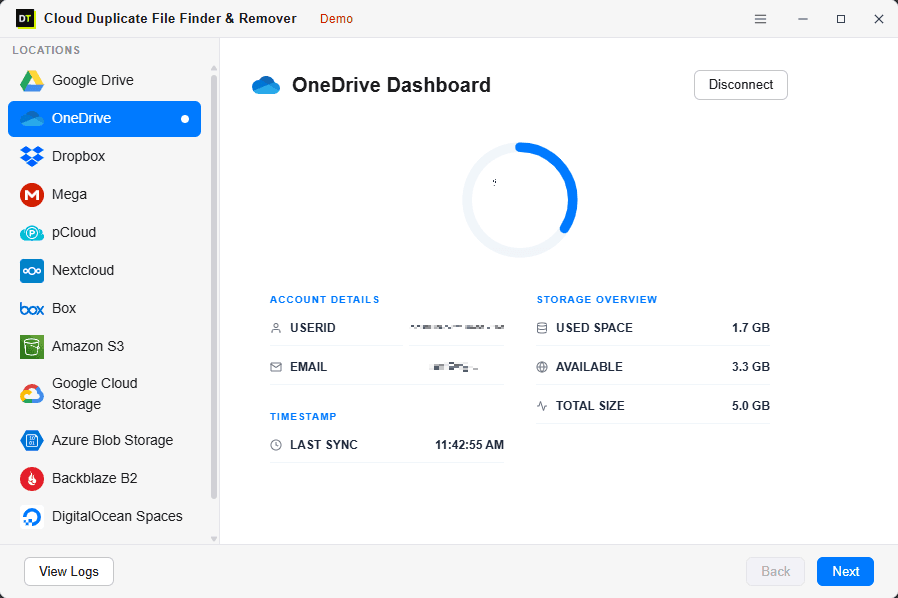
Quick Summary:Built for enterprise and personal use, DT pCloud Duplicate Finder handles unlimited data sizes to identify and remove both exact duplicates (via hash-accurate matching) and visually similar photos directly within your pCloud account without downloading. It supports 500+ file formats.

You Bought the Storage.
Here's Why It's Still Running Out.
pCloud attracts a specific kind of user - someone who thinks long-term about storage. Lifetime plan buyers. Privacy-conscious users. People who want their files in one place, reliably, forever. Managing cloud storage effectively →
And that long-term mindset is exactly why duplicates accumulate quietly.
You've been using pCloud for years. Phone backups run automatically - same photo uploaded from two devices before sync catches up. Two copies.
You move a project folder into pCloud "for safekeeping" - not realizing the same folder already synced from your laptop last month. Two copies.
Small Habits, Big Waste
- You download a file to edit it locally, make changes, re-upload it - but the original stays.
- A family member or colleague shares a file you already have in a different folder.
- If you've had pCloud for three years on a lifetime plan, you may be sitting on gigabytes of duplicate files eating into storage you already paid for.

Every Other Solution Asks You
to Download Your Files First.
There are two ways people currently try to find pCloud duplicates:
Method 1 - Local Sync
Install pCloud Drive app, let it sync everything to your computer, then run a local duplicate scanner.
Method 2 - Mobile Apps
Use a mobile app that claims pCloud support.
The DT Advantage
DT pCloud Duplicate Finder uses pCloud's native API directly. The scan runs in pCloud's own infrastructure - no sync app needed, no local storage consumed, no waiting for gigabytes to arrive. Your files stay in pCloud. The duplicates get found. You review and remove.
Find Every Duplicate -
Fast or With Byte-Level Accuracy
FAST SCAN
Matches files by name and size.
Best for: Quick cleanup - finding obvious re-uploads and copies with matching names.
Speed: Very fast - handles large pCloud accounts efficiently. No local download time at all.
Catches: Exact copies, re-uploaded files, phone backup duplicates with matching names.
Misses: Renamed duplicates - same content, different file name.
DEEP SCAN
Enterprise-grade processing that matches files by unique hash value (byte-level fingerprint) AND visual similarity for photos, computed directly via pCloud API. Supports 500+ formats.
Best for: Massive data libraries, finding renamed exact duplicates, and grouping visually similar burst photos. 100% accuracy.
Speed: Multi-threaded for unlimited scale. Slower than Fast Scan - but catches everything.
Catches: Exact duplicates, renamed files, visually similar burst photos, and re-saved files.
Misses: Nothing. Same content or visually similar photos = found.
Works on Both pCloud Account Types
pCloud Personal
(Free, Premium & Lifetime)
Your personal pCloud account - photos, documents, and files backed up from your phone, laptop, and desktop over the years.
Lifetime plan holders especially benefit - you've had the account long enough for duplicates to really accumulate. Scan, find, remove. Get back the space you paid for.
pCloud Business
Your team's pCloud Business account - shared folders, project files, team collaboration over months and years.
Admin access lets you scan and manage duplicates across team member accounts from one dashboard - no individual logins required.
Four Steps. pCloud Clean Again.
No Sync Required.
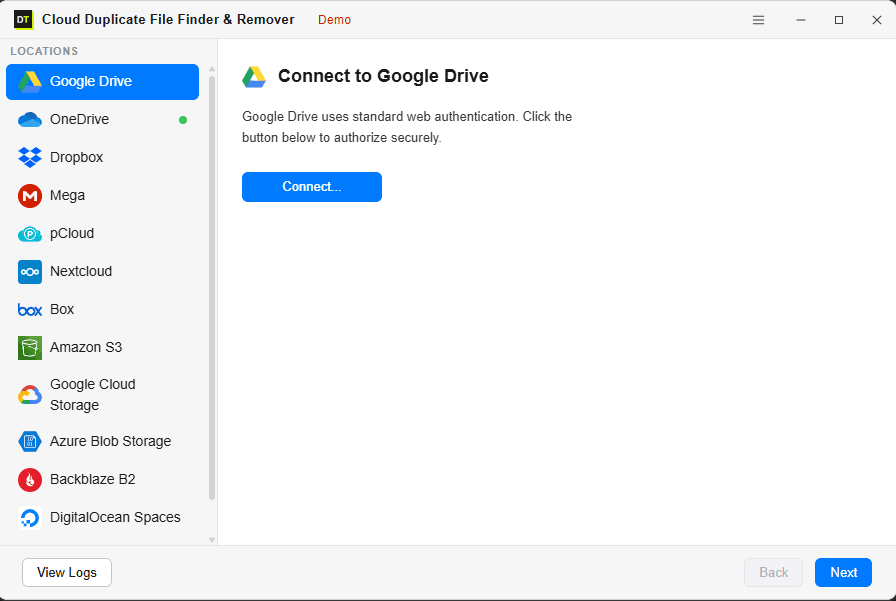
Connect Your pCloud Account
Sign in with your pCloud credentials via official OAuth - the same secure authorization pCloud uses for trusted apps. Your password never enters the tool and never touches our servers.
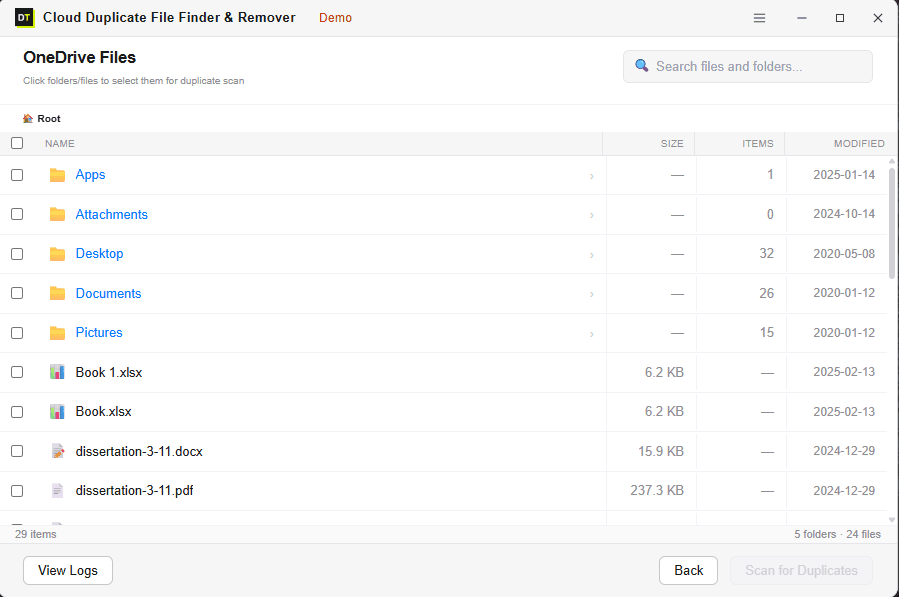
Browse and Select What to Scan
Browse your pCloud folder structure - My Files, shared folders, backup folders - and select exactly what to include. Scan one folder, multiple folders, or your entire account.
Choose Your Scan Mode
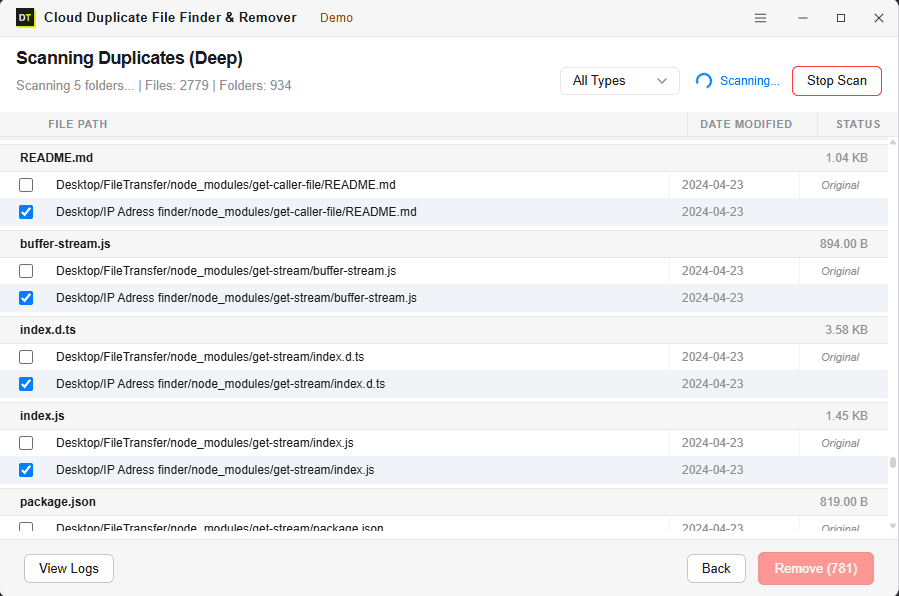
Fast Scan for a quick cleanup run. Deep Scan to catch renamed duplicates and files backed up from multiple devices. Watch the scan run live with real-time progress.
Review and Remove
Every duplicate is shown before anything is deleted. Review results grouped by file type and folder. Confirm what to remove. Bulk-delete in one action. Removed files go to pCloud's native Trash.
We Read File Fingerprints.
Never File Contents.
Finding duplicates doesn't require reading what's inside a file. DT pCloud Duplicate Finder connects through pCloud's official API using OAuth.
✓ What we read:
File name, size, and hash value (for Deep Scan). That's it.
✗ What we never read:
Document text, photo content, video data, or anything inside your files.
Files are never downloaded to your machine during the scan. They're never stored on our servers. No one at Data TB can see what's in your pCloud. The scan runs through pCloud's infrastructure - we're just comparing fingerprints, not opening files.
Official pCloud OAuth
Same authorization as any trusted pCloud app. Your password never enters the tool.
Zero Local Downloads
Files scanned via pCloud API - never pulled to your machine. No local storage consumed.
pCloud Trash Safety Net
Removed files go to pCloud Trash - not permanent deletion. Restore within pCloud's recovery window.
Full Activity Log
Every scan and removal logged with timestamps. Complete record of what changed.
The pCloud Scenarios
Other Tools Weren't Built For
Lifetime plan - account active for 3+ years?
The longer you've had pCloud, the more duplicates have accumulated quietly. Deep Scan finds everything - going back to the first file you ever uploaded - without requiring a full local sync first.
Phone backup creating duplicates from multiple devices?
Same photo uploaded from your phone and your tablet before sync catches up. Deep Scan's hash matching finds identical images regardless of what name the device gave the file.
pCloud Drive syncing causing duplicate versions?
When the pCloud Drive app syncs from multiple computers, version conflicts can create duplicate files in the same folder. Fast Scan catches these by name and size instantly.
Shared folders duplicating files you already have?
Files shared by someone else that you added to your own folders create duplicates of content already in your account. Scan covers both locations and groups them for review.
Large media library - photos and videos?
Deep Scan handles photo-heavy accounts. Same image in different folders, different resolutions backed up alongside originals - all found and grouped for you to review before removing.
pCloud Business - multiple team members uploading?
Admin access lets you manage duplicates across team accounts from one dashboard - no individual logins, no manual account switching.
pCloud Users Who Want Their
Storage Back Without Starting Over
Lifetime & Enterprise Accounts
You paid for massive storage and want every gigabyte working for you. Built for enterprise-scale, it handles unlimited data sizes and millions of files. One Deep Scan finds what's been accumulating for years.
Photography Enthusiasts
Years of camera roll backups from multiple phones. Deep Scan uses Hash-Accurate matching for exact copies, plus an AI visual engine to group similar burst photos across 500+ formats - even when file names don't match.
Remote Workers
Laptop, desktop, phone - all syncing to pCloud. Files uploaded from two devices before sync catches up create silent, accumulating duplicates.
Families Sharing pCloud
Multiple family members uploading photos and documents. Same holiday photos backed up from three phones. Fast Scan finds them in minutes.
Small Businesses
Team project files, client documents, shared folder content - accumulated over months and years. Admin scan covers the whole team from one place.
IT Admins & MSPs
Quick storage audit before a plan review or migration. Find out how much is real data vs. recoverable duplicate waste.
Scan Free - Remove When You're Ready
Run a complete Deep Scan for free. See exactly how many duplicates exist, how much space you'll recover, and where they're hiding - before spending anything.
No pCloud Drive app needed. No local sync required. Results in minutes.
Start from 6 Month.
No Commitment Until the Scan Proves It.
Scan for free first. See the results. Only buy when you're ready to remove.
Every plan includes everything - Deep Scan, admin access, bulk removal, shared folder scanning, activity logs. No feature held back for higher plans.
30-Day Money-Back Guarantee on all plans.
System Requirements
Questions Asked Before Every Purchase
Q: Do I need the pCloud Drive app installed?
No. DT pCloud Duplicate Finder connects directly via pCloud's API - no pCloud Drive app, no local sync, no local storage consumed.
Q: Does it download my pCloud files to find duplicates?
No. The scan runs via pCloud's API - files are never downloaded to your machine or stored on our servers. Only metadata and hash values are processed during the scan.
Q: I have a lifetime pCloud plan with years of files. Will it handle that?
Yes. Because the scan runs via API without local sync, account size doesn't affect how quickly you can start. Multi-threaded scanning handles large accounts efficiently.
Q: What's the difference between Fast Scan and Deep Scan?
Fast Scan matches by file name and size - quick but misses renamed duplicates. Deep Scan matches by content hash - 100% accurate, finds duplicates regardless of file name. Use Fast Scan for speed, Deep Scan for thorough cleanup.
Q: Will it accidentally delete files I want to keep?
No file is removed automatically. Every duplicate found is shown for review before any deletion. You choose what stays and what goes. Removed files go to pCloud Trash - restorable from your pCloud account.
Q: Can I scan just one folder instead of everything?
Yes. Browse the folder structure and select exactly what to scan. No forced full-account scans.
Q: Does it work on pCloud Business?
Yes. pCloud Business is supported. With admin access, scan and manage duplicates across team accounts from one dashboard.
Q: Can it find duplicates with different file names?
Yes - with Deep Scan. Content hash matching identifies files with identical byte-level content regardless of name or folder location.
Q: Which file formats does it support for large enterprise accounts?
It supports 500+ file formats including documents, videos, archives, and images, and can process unlimited data sizes. Alongside Hash-Accurate scanning for exact files, its engine also detects visually similar images.
Q: Can it find similar photos and handle large enterprise accounts?
Yes. It is built for enterprise-grade unlimited data scaling. Alongside exact hash-matching, its engine detects visually similar images and burst photos across 15+ cloud platforms and supports 500+ file formats.
Your pCloud Has More Free Space in It
Than It's Showing You. Find It.
Most pCloud accounts that have been active for more than a year - especially lifetime plan accounts - have gigabytes of duplicate files sitting quietly in the background. Finding them used to mean installing the sync app and waiting hours for everything to download locally.
Not anymore. Run the free scan. Direct API connection. No sync. No download. No waiting.
See how much space you'll recover before you spend anything.