
Every Byte Matters.
DT MEGA Duplicate Finder
Find and Remove Duplicates Without Syncing
DT MEGA Duplicate Finder is a desktop tool that scans your MEGA Personal or Business account directly, finds duplicate files including photos, documents, videos and archives, groups every match for easy review and moves the extra copies to your MEGA Rubbish Bin. Your files stay in MEGA while the scan runs, and every removal is approved by you. Enjoy a clutter-free cloud drive while maintaining your end-to-end encryption privacy.
- Built for personal and business MEGA accounts of any storage size
- Pick Fast Scan for speed, or Deep Scan to match files by content even when names differ
- Scan your whole account or only the folders you choose, shared folders included
- Move removed files to your MEGA Rubbish Bin, so you can restore them from there


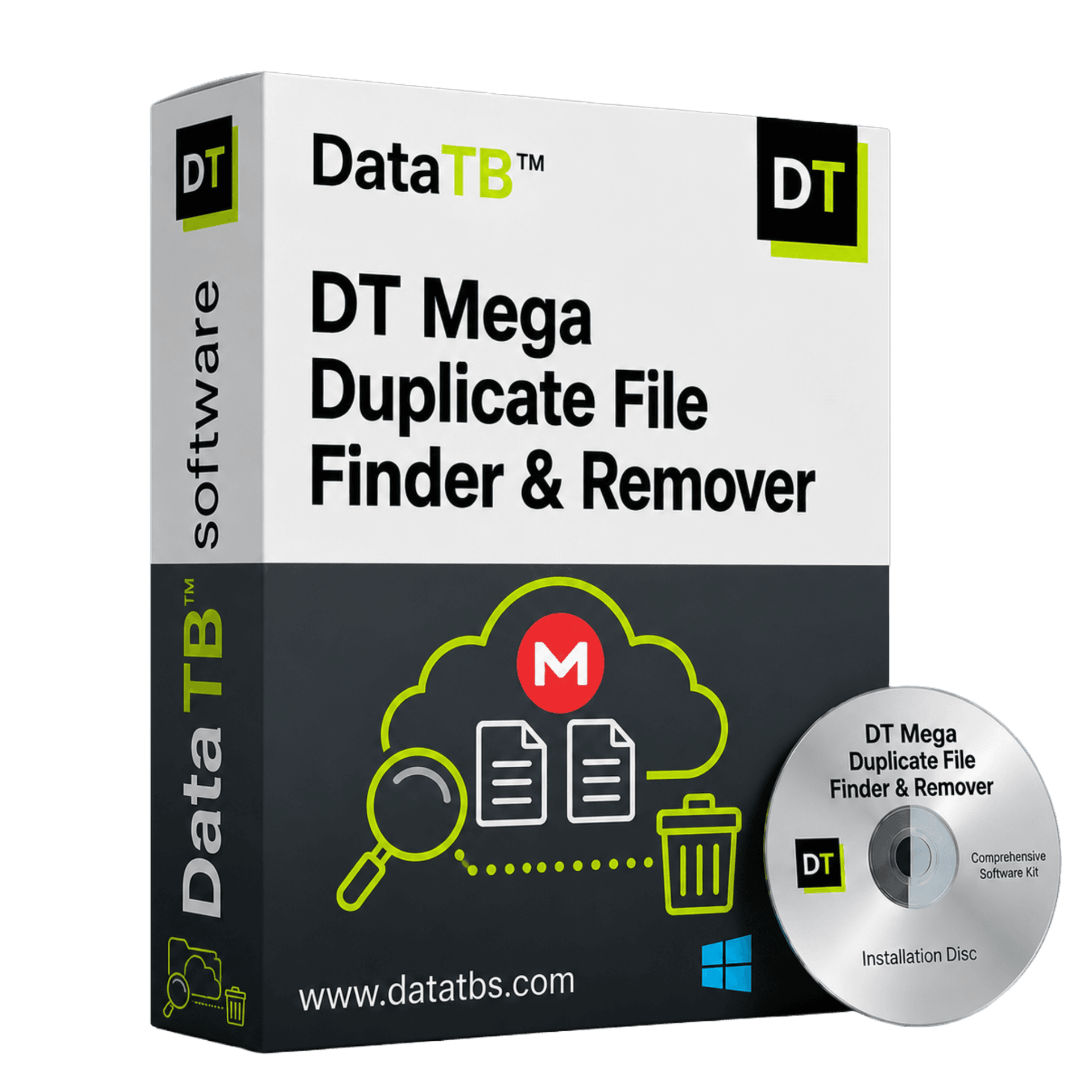
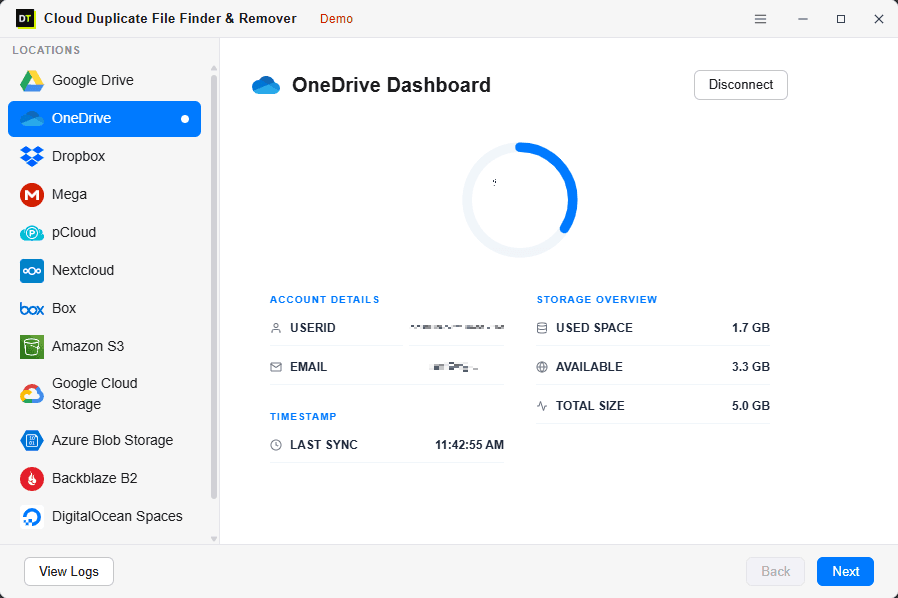
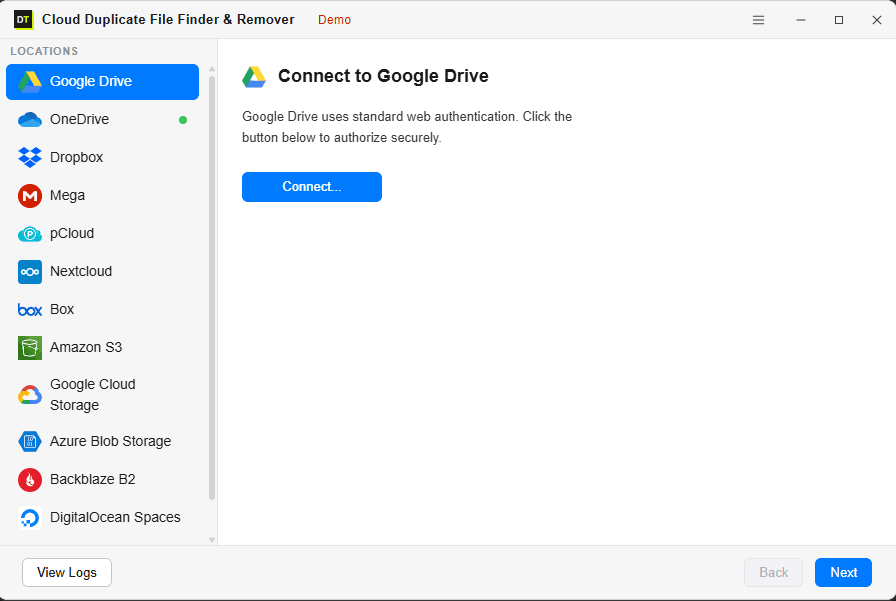
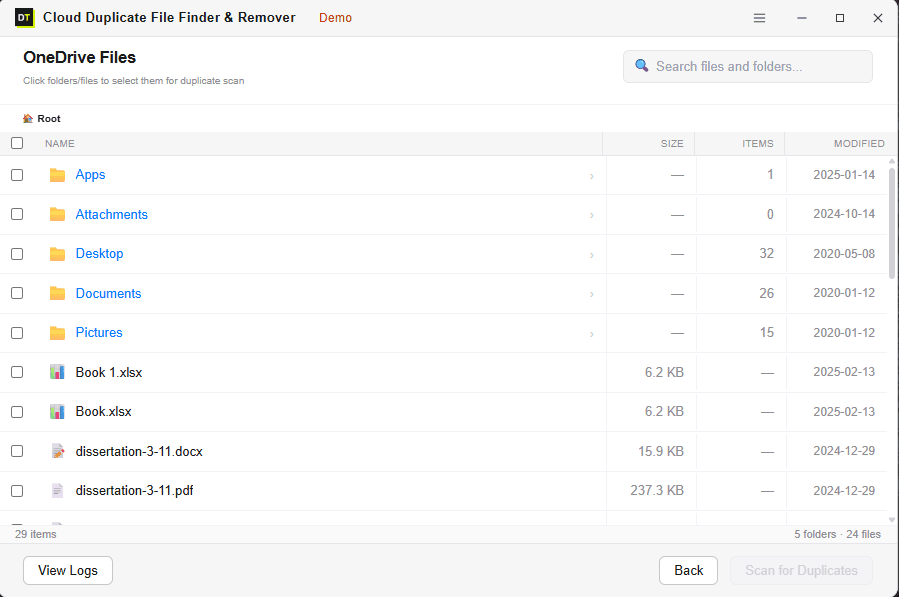
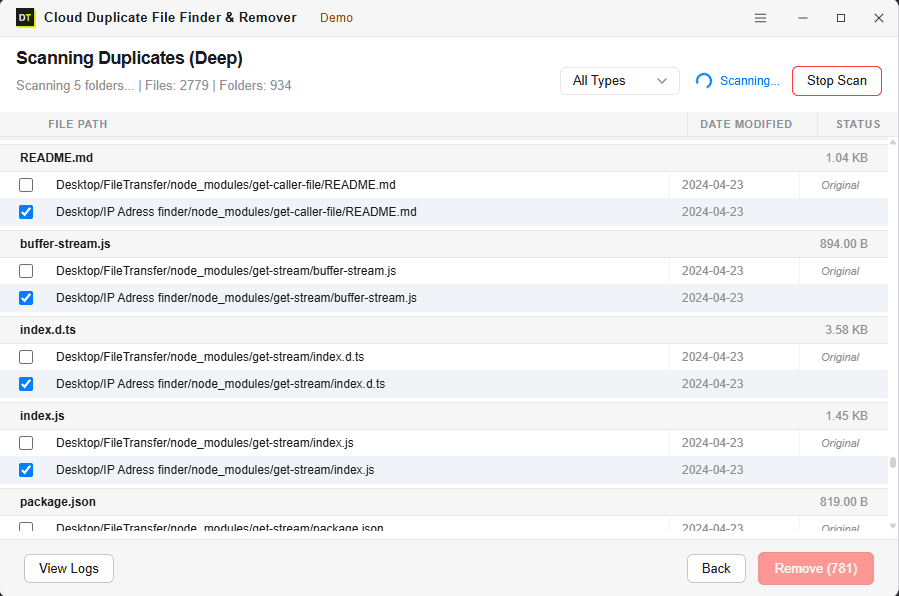
Quick Summary:What is DT MEGA Duplicate Finder? It is a desktop app for Windows and macOS that finds duplicate files in a personal MEGA account, lets you review every group of matches, and removes the extra copies to your MEGA Rubbish Bin. It reads your account directly, so you do not need to sync the entire drive to your computer first.
Why MEGA Accounts Fill Up With Duplicates
MEGA gives you generous storage and strong privacy, but it is built to store what you upload, not to question it. As of this writing, MEGA does not include a tool that finds duplicates by content and clears them in bulk. That is why the same files quietly pile up.
The usual causes are ordinary:
- 1.A phone and a laptop both upload the same camera roll before either finishes syncing.
- 2.A project folder is copied into a second folder "just to be safe" before a client handoff.
- 3.A file is re-saved under a new name during editing, so the copy no longer looks like the original.
- 4.Two accounts are merged, or an old backup is uploaded again after a move.
- 5.A shared folder is copied into your own space, so the same content now lives in two places.
None of this feels like a mistake at the time. Over a year or two, it becomes the reason your account is nearly full and a paid upgrade starts to look necessary. Before you pay for more storage, it is worth finding out how much of what you already have is simply repeated.
The Usual Way to Clean MEGA, and Why It Feels Slow
The most common workaround is a two-stage process. You install the MEGA desktop app, switch on a full sync, and wait while your whole account downloads to a local folder. Then you point a local duplicate scanner at that folder, delete the extras on your computer, and trust the sync to carry those deletions back to the cloud.
It works, and plenty of people use it. But it asks a lot:
- ✓Disk space. A full sync needs local storage close to the size of your account.
- ✓Time. The scan cannot begin until the sync finishes, which can take hours on a large account.
- ✓Attention. The desktop app has to stay open, your connection has to stay stable, and your computer has to stay awake.
- ✓Trust. You are deleting local files and relying on sync to mirror that correctly in the cloud.
Newer cloud cleaners have started to scan without downloading files, which is a sensible direction. DT MEGA Duplicate Finder takes the same direction and builds a full desktop workflow around it, with two scan modes, folder-level control, shared folder awareness, a free complete scan, and a full activity log.
How DT MEGA Duplicate Finder Works
Fast Scan vs Deep Scan: Which Should You Use?
The two modes are a real trade-off between speed and certainty. Neither is "better" in every case.
| Fast Scan | Deep Scan | |
|---|---|---|
| Matches by | File name and size | Content fingerprint |
| Speed | Very fast, even on large accounts | Slower, more thorough |
| Finds | Re-uploads, synced copies, files that kept their name | Everything Fast Scan finds, plus renamed copies and identical files in different folders |
| Can miss | Renamed duplicates | Files that differ in content, even slightly |
| Watch out for | Two different files that happen to share a name and size | Nothing is auto-selected for deletion; review still applies |
| Best for | Quick cleanup of obvious copies | Photo libraries, pre-migration audits, anything you cannot afford to get wrong |
A simple rule: start with Fast Scan to see the size of the problem in minutes, then run Deep Scan before you remove anything important.
Deep Scan compares content-based fingerprints, not file names, so a photo saved twice under different names is still grouped together. Because fingerprints are used to group candidates and you review every group, nothing is ever deleted automatically. For files you could never recreate, keep a backup before any bulk cleanup, as you would with any storage tool.
Which Method Is Right for Your MEGA Account?
| Manual check in MEGA | Sync, then scan locally | DT MEGA Duplicate Finder | |
|---|---|---|---|
| Local disk space needed | None | Close to your account size | None |
| Wait before scanning starts | None | Until the full sync finishes | None |
| Finds renamed copies | Only by opening files one by one | Depends on the local tool | Yes, with Deep Scan |
| Scan a single folder only | Yes, by hand | Yes | Yes |
| Shared folder awareness | Manual | Depends on what is synced | Shared folders you can access can be included |
| Bulk removal | No | Yes, via the local tool and sync | Yes, in one action |
| Where deleted files go | Rubbish Bin | Rubbish Bin, after sync carries the deletion | Rubbish Bin |
| Cost | Free, but slow | Free or paid, depending on the local tool | Free scan, paid removal |
The manual method is fine for a few dozen files. Beyond that, it stops being practical.
What the App Reads, and What It Never Touches
MEGA is built around privacy, so the way a tool connects matters as much as what it does.
What is read:
file names, file sizes, folder structure, and content fingerprints from your account's file information. The scan does not download your files.
What is never read or stored by us:
the contents of your files, document text, image data, or anything inside a file. Your MEGA files and credentials are not sent to Data TB servers.
What never happens automatically:
deletion. Every removal is a decision you make on the review screen.
This is the practical difference between a tool that works with your account and a tool that needs your whole drive on a second machine.
MEGA Situations This Was Built For
Files uploaded from several devices
Phone, laptop, and desktop all upload before sync catches up, and the same files land twice. Fast Scan finds those exact copies quickly.
Camera roll backups
Photo backups create duplicates fast, and renamed copies from different devices look unrelated by name. Deep Scan groups identical photos regardless of filename.
Shared folders copied into your own space
Content you copied out of a shared folder can duplicate files already in your account. Include shared folders in the scan scope and the overlap shows up.
After a merge, migration, or re-upload
When old backups and new uploads meet in one account, the overlap is often large. Scan before you decide anything else about your storage.
Before you pay for a bigger plan
Find out first how much of your used space is repeated content. Many people discover that the upgrade they were about to buy is really a cleanup job.
Very large accounts
There is no sync step, so the scan starts right away. Scan time depends on how many files are in scope and your connection speed, not on downloading the whole account first.
Built-In Safety, Because Deleting Is the Risky Part
Review before action
Every duplicate group is shown with path, size, and date before anything changes.
No automatic deletion
Only the copies you confirm are removed.
Rubbish Bin, not permanent deletion
Removed files move to your MEGA Rubbish Bin, where they can be restored through MEGA according to your account's own settings.
Folder-level scope
Scan only what you choose, so a sensitive folder can be left out entirely.
Activity log
Every scan and removal is recorded with a timestamp, so you always know what changed and when.
Free Scan vs Full Version
Run a complete scan for free and see exactly how many duplicates exist and how much space you would recover before you spend anything. You only need the full version to remove them.
| Feature | Free Scan | Full Version |
|---|---|---|
| Connect Personal & Business MEGA | Included | Included |
| Enterprise-Grade (Unlimited Data) | Included | Included |
| Supports 500+ Formats (Docs, Videos, Images) | Included | Included |
| Fast Scan | Included | Included |
| Deep Scan | Included | Included |
| Folder-level and shared folder scanning | Included | Included |
| Storage summary and file counts | Included | Included |
| Smart grouping of results | Included | Included |
| Preview duplicates before action | Included | Included |
| Activity log | Included | Included |
| Remove duplicates | Not included | Included |
| Bulk removal | Not included | Included |
System Requirements
| Software Version | 25.1.1 |
| Software Size | 10.4 MB |
| Operating System | Windows 11, Windows 10, macOS 12 or later |
| Supported Platforms | MEGA (Personal, Free, Pro, and Business accounts) |
| Internet Connection | Required for cloud scanning via MEGA SDK |
| Authentication | Native MEGA SDK Authentication |
Plans
Choose the plan length that fits your cleanup. Every plan includes every feature, with no locked tabs and no per-file limits. All paid plans carry a 30-day money-back guarantee.
View Plans and PricingSystem Requirements
Frequently Asked Questions
QDoes it support MEGA Business and enterprise data?
AYes. It fully supports both Personal and MEGA for Business accounts with enterprise-grade data scaling to handle unlimited data seamlessly.
QWhich file types does it support?
AIt supports over 500+ file formats including documents (PDF, DOCX), videos (MP4, MKV), archives (ZIP, RAR), audio, and images. It finds exact duplicates for all formats, and includes a special engine for visually similar and burst photos.
QDoes MEGA have a built-in duplicate finder?
AAs of September 2026, no. MEGA can react to files with the same name during upload, but it does not offer a content-based duplicate finder or a bulk duplicate cleanup tool. DT MEGA Duplicate Finder fills that gap.
QHow do I find duplicate files in MEGA?
AYou can check by hand in the MEGA web app by filtering the Cloud Drive by file type and comparing files, which only works for small accounts. For anything larger, use a duplicate finder. With DT MEGA Duplicate Finder you connect your account, choose a scope, run Fast Scan or Deep Scan, and review the grouped results.
QDo I need the MEGA desktop app or a full sync first?
ANo. The scan reads your account directly. You do not need to sync your MEGA drive to your computer, and you do not need local storage equal to your account size.
QIs it safe to sign in to MEGA with this app?
AYou sign in with your MEGA credentials, and your password is used on your device to derive your encryption keys, the same way MEGA's own apps work. Your MEGA files and credentials are not sent to Data TB servers. You can also start with a single folder to see how the app behaves before scanning everything.
QWhat is the difference between Fast Scan and Deep Scan?
AFast Scan matches by file name and size and is very quick, but it can miss renamed copies. Deep Scan matches by content fingerprint, so it also finds renamed and re-saved files and identical files in different folders. Use Fast Scan for a quick look and Deep Scan before removing anything important.
QCan it delete the wrong file by mistake?
ANo file is removed automatically. You review every group and confirm what to remove. Removed files move to your MEGA Rubbish Bin instead of being permanently deleted.
QHow do I restore a file the app removed?
AOpen the Rubbish Bin in MEGA and restore it from there. Files stay in the Rubbish Bin according to your MEGA account's own retention rules, so restore anything you want back before MEGA clears the bin.
QDoes it scan shared folders?
AYes. Shared folders you have access to can be included in the scan scope, and duplicates between your own files and shared folder content are flagged.
QCan I scan just one folder?
AYes. Select one folder, several folders, or the whole account. You are never forced into a full-account scan.
QDoes it work with MEGA business accounts?
AYes. The app fully supports both personal MEGA accounts (Free and Pro) and MEGA for Business accounts.
QWill it handle a large MEGA account?
AYes. Because there is no sync step, the scan starts immediately, and no local storage is needed. Total time depends on how many files are in scope and your connection speed.
QIs the free scan a real scan or just a teaser?
AIt is a complete Fast or Deep Scan. You see every duplicate found, how many files, how much space is wasted, and where each copy lives. Removal is the only feature that needs the full version.
QDoes it run on Windows and Mac?
AYes. It supports Windows 10 and 11 and macOS 12 or later.
QWhat if I am not happy with it?
AAll paid plans include a 30-day money-back guarantee.
See How Much Space Your Duplicates Are Using
Connect your MEGA account, pick a folder or the whole drive, and run a free scan. You will know how many duplicates you have and how much space you can recover before you spend a rupee or a dollar.
Want a second opinion first? See what customers say on Trustpilot and G2.