
Every Byte Matters.
DT SQL Backup Tool
SQL Server and MongoDB Backup Software
DT SQL Backup Tool is a Windows application for automated backup of SQL Server and MongoDB databases. Schedule a job once, and every run after that happens on its own: compressed, encrypted, and delivered to a local drive or a cloud destination such as Amazon S3, Google Drive, OneDrive, SFTP or FTP.


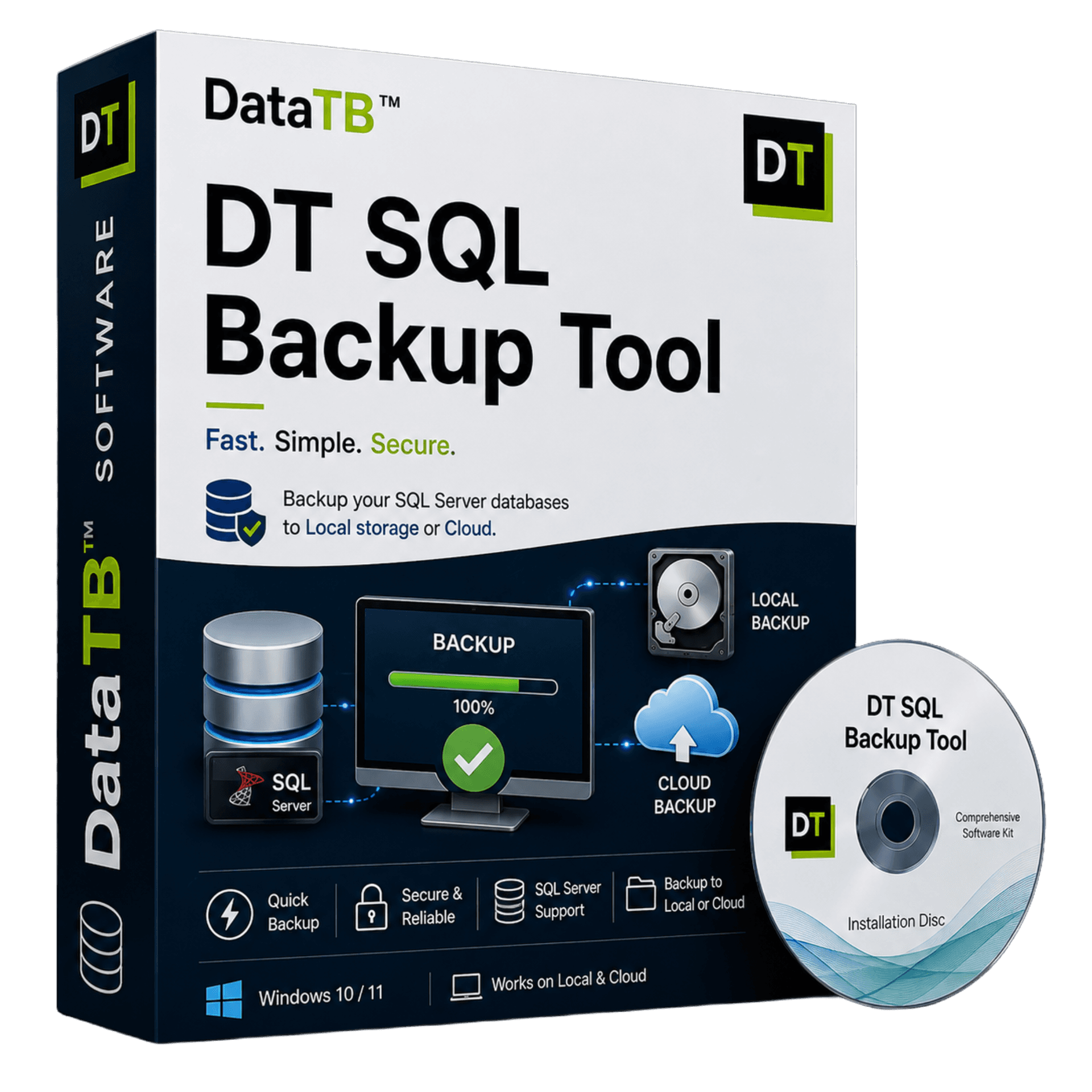
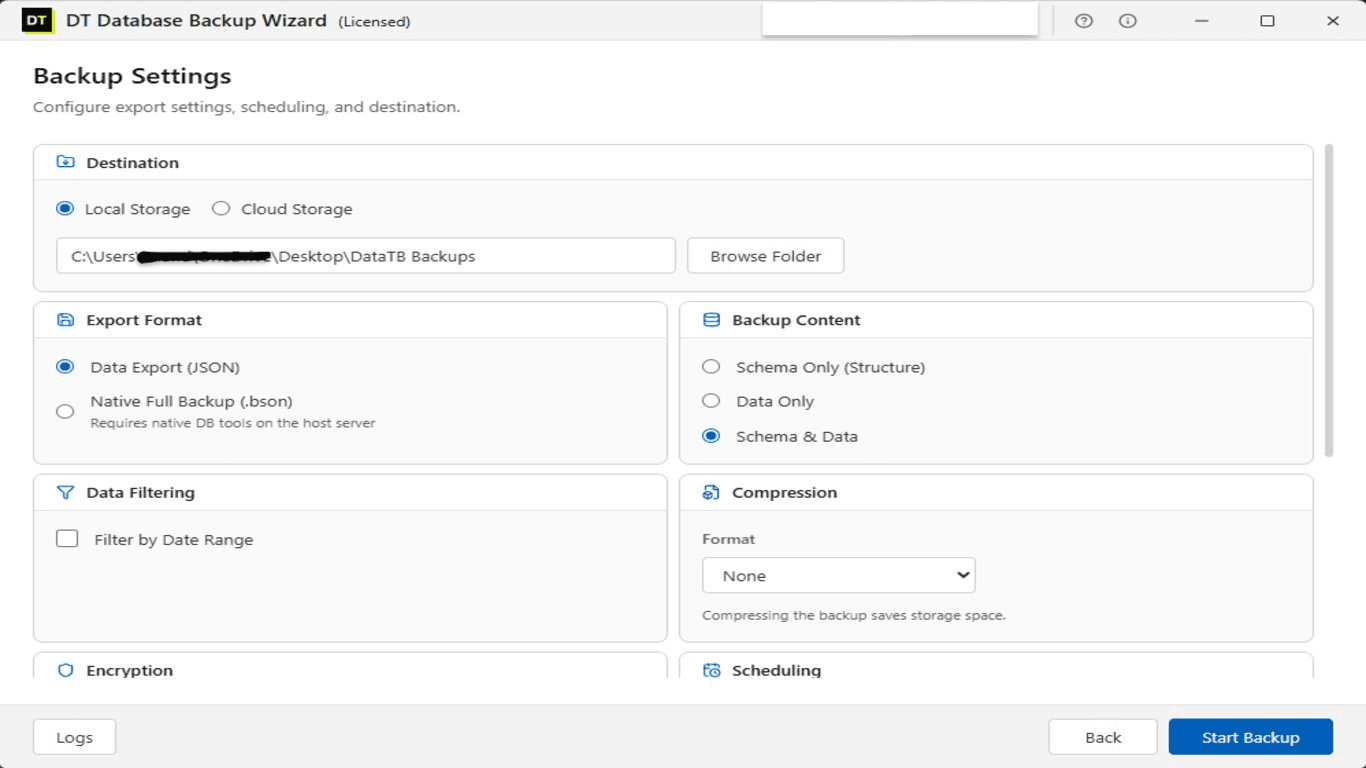
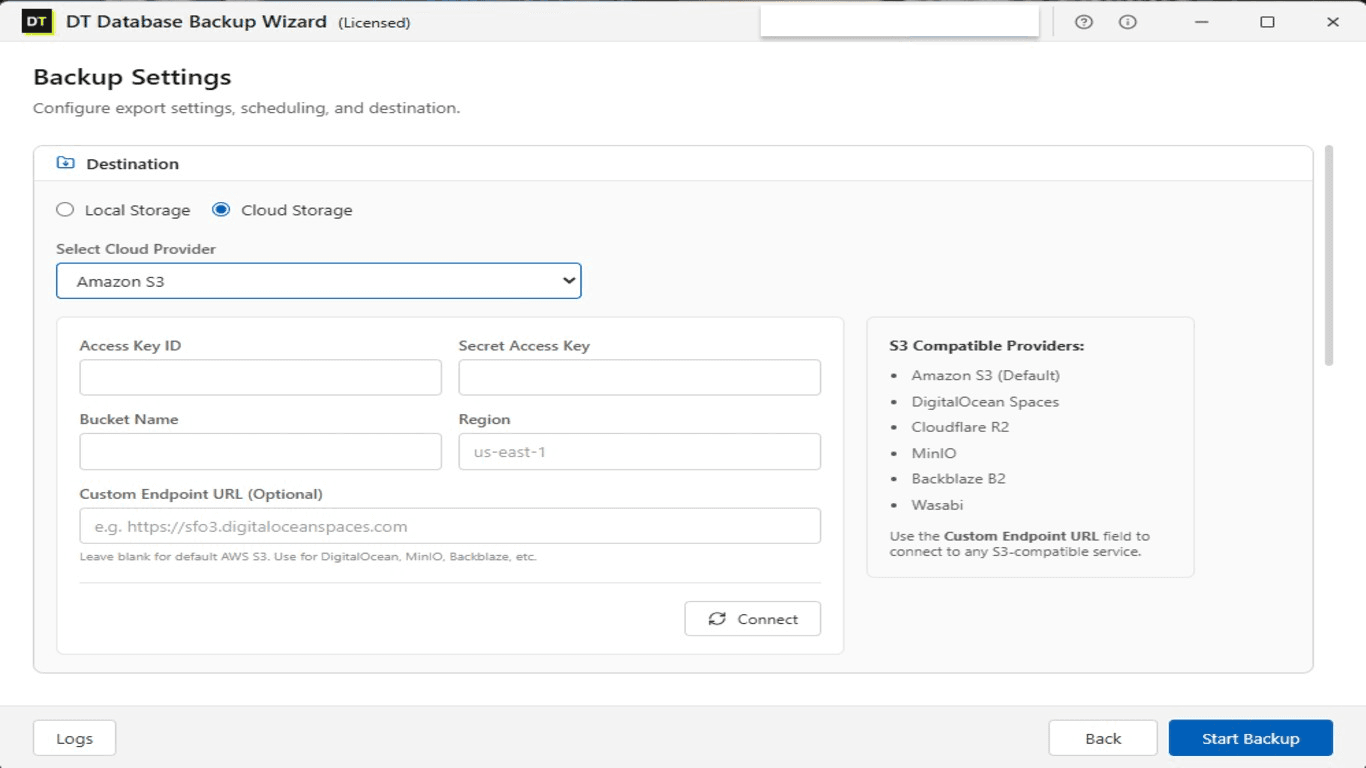
Quick Summary:DT SQL Backup Tool is a lightweight, automated backup solution designed exclusively for SQL Server and MongoDB environments. It securely encrypts (AES-256) and compresses your database backups before automatically sending them to cloud storage destinations like Amazon S3, Google Drive, or FTP servers on a flexible schedule.
Key Features of DT SQL Backup Tool
2 database engines, fully supported
SQL Server and MongoDB, including MongoDB Atlas
Automated backup scheduling
Hourly, daily, weekly or custom intervals, plus one-click manual runs
Flexible SQL Server backup content
Full backup, schema only, or data only
Selective MongoDB collection backup
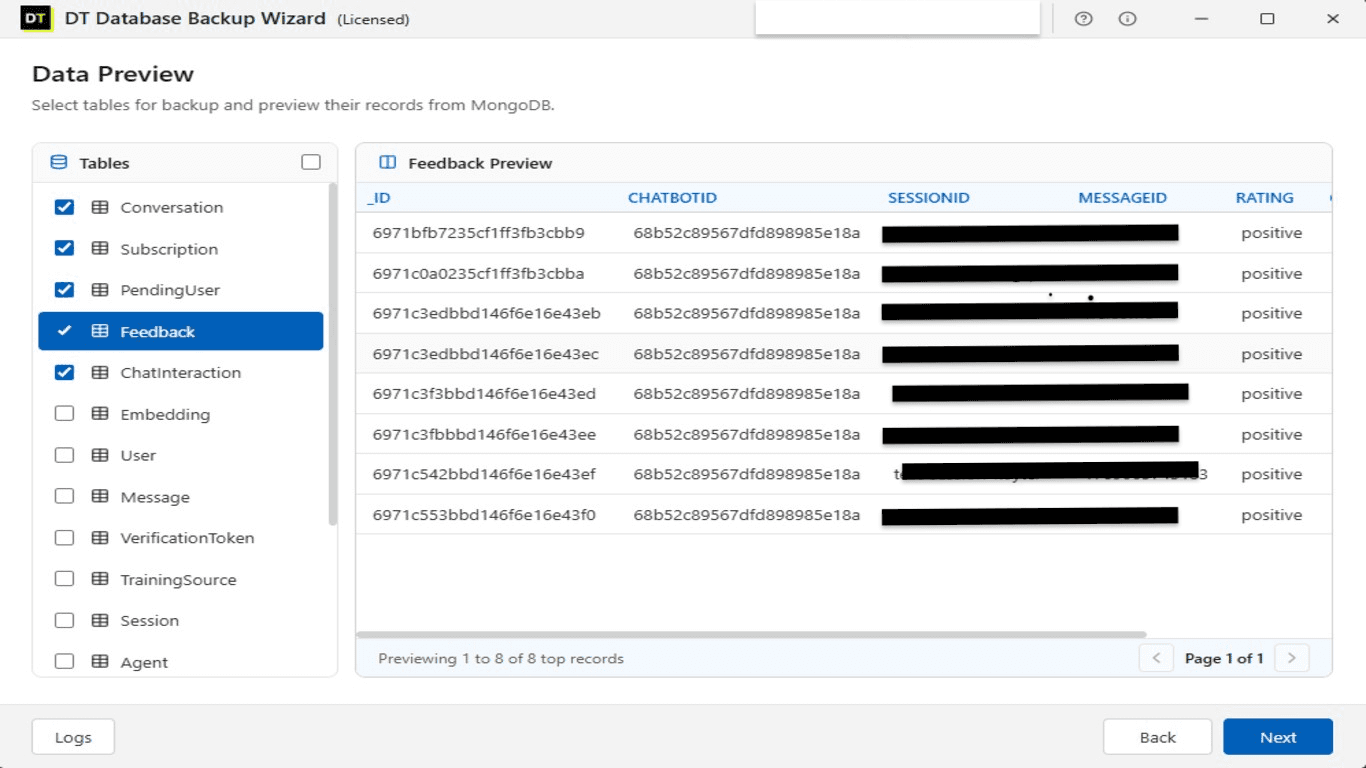
Include or exclude individual collections per job
5 storage destinations
Local drive, FTP, SFTP, Amazon S3, Google Drive, OneDrive
AES encryption and compression
Applied per job, independently or together
Full run history
Every scheduled and manual job logged with timestamp, status and error detail
MongoDB Atlas support
Connect through a standard connection URI, no separate configuration needed
Why Choose DT SQL Backup Tool Over a General Purpose Backup Suite
Not every team needs a backup tool that speaks eight different database languages at once. If the stack is built around SQL Server, MongoDB, or both, a general purpose tool that also handles Oracle, SQLite and five other engines usually means extra menus and extra configuration for features that will never get used.
DT SQL Backup Tool does two things and does them precisely: automated SQL Server backups and automated MongoDB backups, both scheduled, both encrypted, both sent to the storage destination of choice, without an unrelated option cluttering the interface.
SQL Server administrators do not need a MongoDB connection screen sitting between them and their backup schedule. MongoDB teams do not need to scroll past Oracle and SQLite settings to reach the option they use every week.
DT SQL Backup Tool is built around exactly two engines, so the configuration screens match how SQL Server and MongoDB actually get backed up in production.
Supported Databases
SQL Server Backup Software
Connect to any edition of SQL Server, test the connection, and schedule recurring backups without touching SQL Server Agent or writing a T-SQL script. Full backups, schema only exports, or data only exports are all available from the same job configuration screen, and every run is logged with a timestamp and a clear success or failure status.
MongoDB Backup Tool
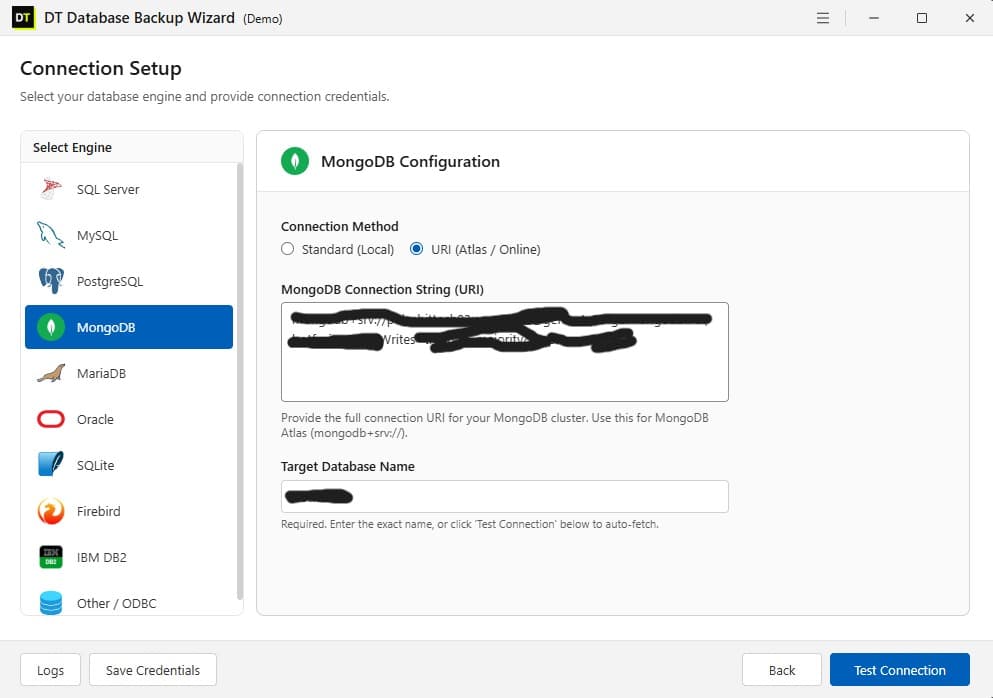
Connect using a standard local connection string or a full connection URI for MongoDB Atlas and other hosted clusters. Collections can be included or excluded individually, and each backup job runs on the same scheduling engine used for SQL Server, so a mixed environment is managed from one place.
Fully Supported Environments & Versions
- Microsoft SQL Server (2022, 2019, 2017, 2016, 2014, 2012)
- SQL Server Express Edition
- Azure SQL Database
- MongoDB (6.0, 5.0, 4.x)
- MongoDB Atlas (Cloud)
- AWS RDS (SQL Server)
- Local & On-Premises Servers
- Cloud VMs (EC2, Azure VM)
- Windows Server 2022 / 2019 / 2016
How to Set Up an SQL Server or MongoDB Backup Job
Step 1: Choose the Engine and Connect
Step 2: Decide What Gets Backed Up
Step 3: Set Compression and Encryption
Step 4: Pick a Destination
Step 5: Set the Schedule
SQL Server Backup Strategy: What to Get Right
A SQL Server backup strategy usually comes down to three decisions. How often the database changes determines how often it should be backed up, since a database with heavy write activity loses more in the gap between two backups than one that barely changes.
Full backups restore the fastest but take the longest to create, while differential backups are a reasonable middle ground for databases that change daily but do not need hourly protection. Storage location matters as much as frequency, since a backup sitting on the same physical server as the database it protects does not survive a hardware failure that takes both down together.
MongoDB Backup: What Most Teams Get Wrong
MongoDB backups are often treated as an afterthought compared to the relational database sitting next to them, largely because MongoDB is frequently used for logs, sessions or a secondary service rather than the primary system of record.
That assumption breaks the moment a MongoDB collection ends up holding something the business actually depends on, at which point an unverified snapshot policy configured once during setup is not much of a safety net.
DT SQL Backup Tool applies the same scheduling rigor to MongoDB as it does to SQL Server, including support for MongoDB Atlas and other hosted clusters through a standard connection URI.
DT SQL Backup Tool: Free Demo vs Full Version
| Feature | Free Demo | Full Version |
|---|---|---|
| SQL Server and MongoDB connections | Included, with connection testing | Included |
| Manual backup runs | Up to 2 per database | Unlimited |
| Scheduled automated backups | Limited | Included |
| Cloud destinations (S3, Drive, OneDrive) | Limited | Included |
| Encryption and compression | Preview only | Full access |
| Support | Community / Documentation | Priority Email & Live Support |
| Price | Free | $49 |
What DT SQL Backup Tool Tracks
Job Dashboard
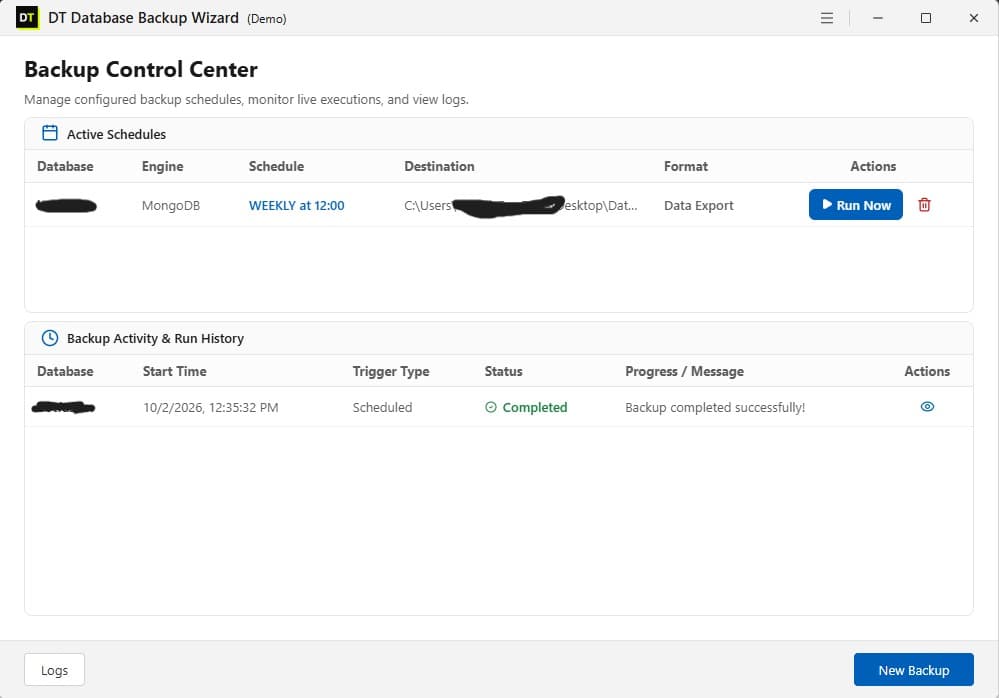
A single screen listing every active SQL Server and MongoDB backup job: database, frequency, destination and format, with a one-click Run Now.
Run History and Error Detail
Every run, scheduled or manual, is logged with start time, trigger type, status and a plain language message. A failed connection shows up as a failed connection, not a blank entry that requires digging through a separate log file.
Compression and Encryption
Both optional, both configurable per job, both can run together.
Five Storage Destinations
Local storage, FTP, SFTP, Amazon S3, Google Drive and OneDrive, configured once per job and reused automatically on every scheduled run.
DT SQL Backup Tool Compared to DT Database Backup Wizard
| Category | DT SQL Backup Tool | DT Database Backup Wizard |
|---|---|---|
| Database engines | SQL Server, MongoDB | 8 engines including MySQL, PostgreSQL, Oracle, SQLite, MariaDB, ODBC |
| Best suited for | Teams running only SQL Server and/or MongoDB | Teams running a mixed multi-engine environment |
| Interface | Focused on two engines only | Covers all supported engines from one dashboard |
| Storage destinations | 5: local, FTP, SFTP, S3, Google Drive, OneDrive | 6: adds Mega |
Who Uses DT SQL Backup Tool
Backend and DevOps teams
running SQL Server as the core application database and MongoDB for logging, sessions or a secondary service, who want one lightweight tool instead of a heavier multi-engine platform.
Database administrators
managing SQL Server environments who need reliable scheduling and offsite storage without a tool built around database engines they will never touch.
MongoDB administrators
who need scheduled, encrypted backups of Atlas clusters or self-hosted deployments without building a custom mongodump script and cron job from scratch.
Small and mid-size IT teams
who found broader backup suites too heavy for a two-database environment.
What Customers Are Saying
Trusted by database administrators, backend developers, and IT teams worldwide.
"We only use SQL Server and didn't need a bloated suite. DT SQL Backup Tool is fast, lightweight, and the S3 integration works exactly as advertised."
James W.
Database Administrator
"It's surprisingly hard to find a tool that backs up MongoDB Atlas securely to our own Google Drive on an automated schedule. This tool does exactly that."
Emma C.
Backend Developer
"The run history dashboard is fantastic. If a connection drops, I know immediately from the logs instead of finding out weeks later. The AES encryption is a nice bonus."
Alex M.
IT Operations
Frequently Asked Questions
Which databases does DT SQL Backup Tool support?+
Is this different from DT Database Backup Wizard?+
Can backups be scheduled automatically?+
Where can backups be stored?+
Are backups encrypted?+
Can compression and encryption run on the same job?+
Does it support SQL Server schema only backups?+
Can specific MongoDB collections be excluded from a backup?+
What happens if a scheduled backup fails?+
Does it work with MongoDB Atlas?+
What is the difference between the free demo and the full version?+
Software Specifications
| Software Version | 3.2.2 |
| Software Size | 52 MB |
| Supported Engines | SQL Server, MongoDB |
| Operating System | Windows 11, Windows 10, Windows Server |
| Minimum CPU | Dual Core Processor |
| Minimum RAM | 4 GB |
| License | Free Demo / Paid Full Version |
Download DT SQL Backup Tool
Set up a SQL Server or MongoDB backup job in minutes, with none of the extra configuration that comes from supporting engines outside what your stack actually runs.