
Every Byte Matters.
DT Duplicate Finder & Remover
The Quick Duplicate Finder and Duplicate Remover Tool Built for Large Drives
Most duplicate finders slow to a crawl once a drive holds a few hundred thousand files. DT Fast Duplicate Finder & Remover runs a multi-threaded engine that compares files in parallel instead of one at a time, so a scan that would take a single-threaded tool hours finishes in minutes. Switch to quick duplicate finder mode for an instant name-and-size pass, or run the full BLAKE3 content-hash scan when every renamed or relocated copy needs to be caught. Either mode, it stays a duplicate remover tool that removes nothing until a choice is confirmed.


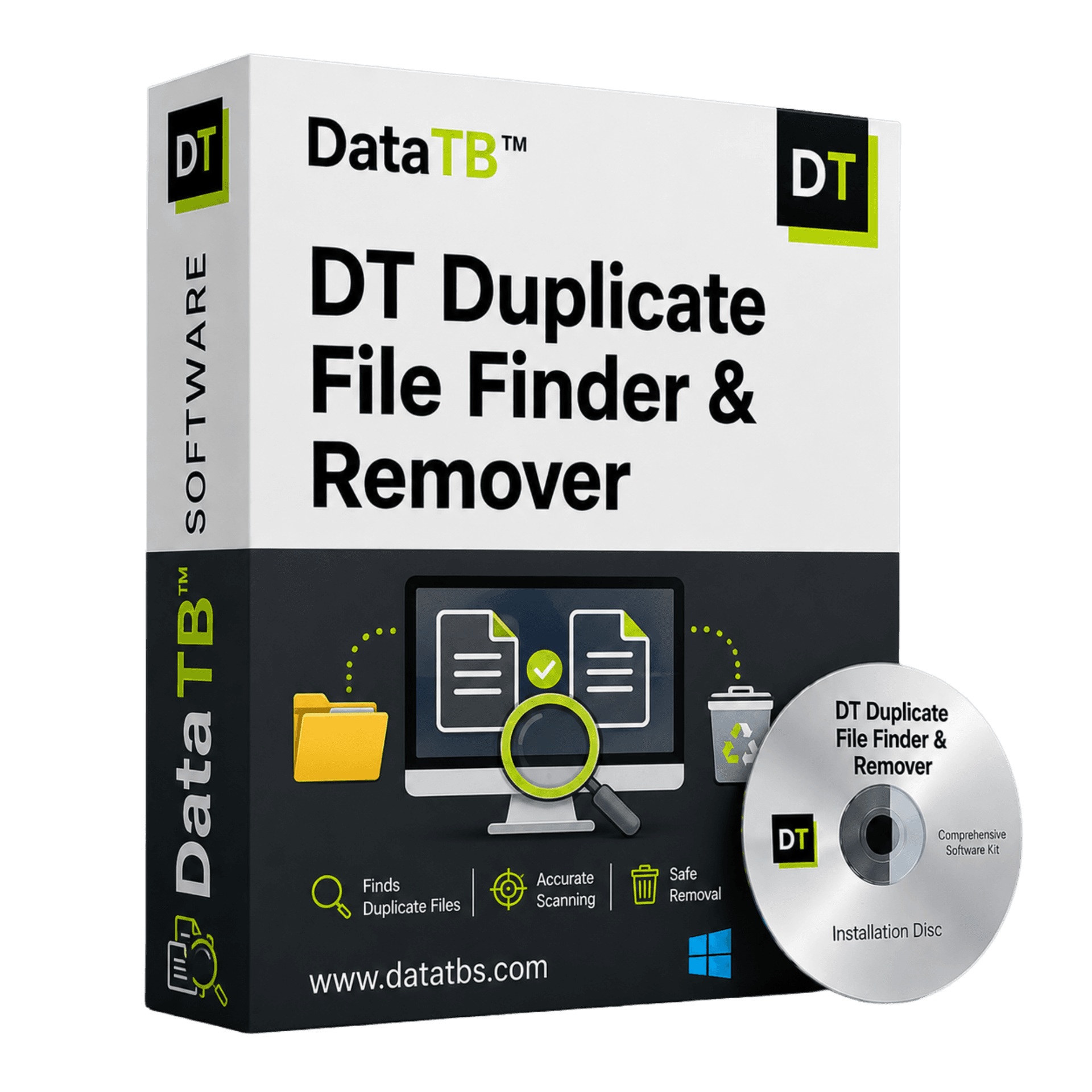
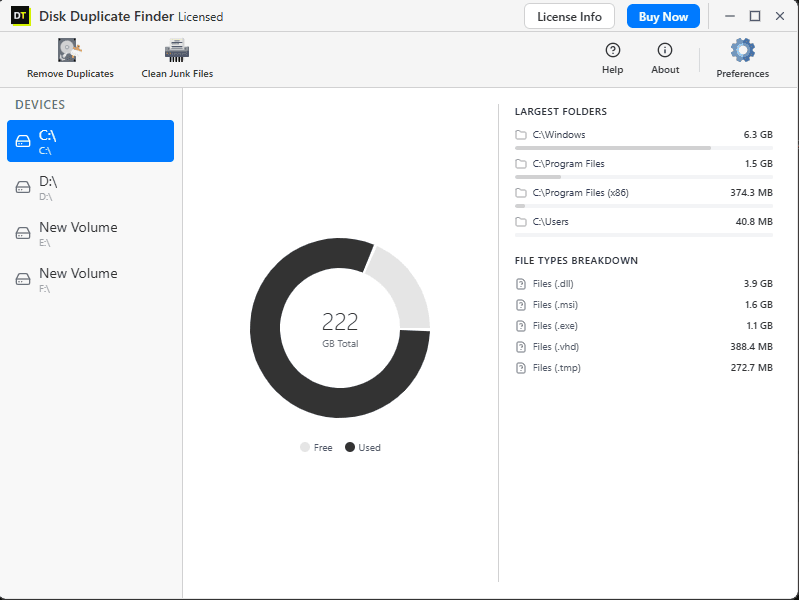
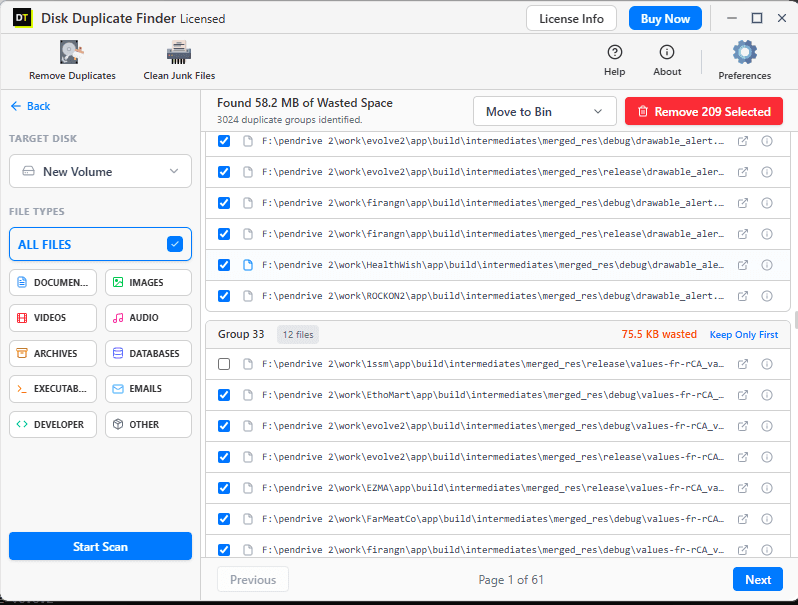
Quick Summary:DT Duplicate Finder & Remover is a multi-threaded duplicate remover tool for Windows with two scan speeds, a quick duplicate finder pass by name and size, and a full BLAKE3-hash scan for complete accuracy, across 550+ file formats.
Key Features of DT Duplicate Finder and Remover
Two scan speeds on one engine: a quick duplicate finder pass matching by name and size for an instant first look, or a full BLAKE3 content-hash scan when certainty matters
Multi-threaded core: files compared in parallel across CPU cores, the single biggest factor separating a genuinely fast duplicate finder from one that only claims to be fast
Named hashing algorithm, not a black box: BLAKE3 by default, SHA-256 available for compatibility with existing audit workflows, so results can be independently verified
550+ file formats in one pass: documents, photos, videos, audio, archives, databases, executables and development files
Selection assistant: duplicate groups arrive pre-marked with one original automatically protected per group, no manual checkbox-by-checkbox review
Preview before deciding: open a flagged file directly from the results list instead of trusting a filename alone
Three bulk removal actions: Move to Recycle Bin, Move to Folder for later review, or Permanent Delete, applied to a whole group at once
Live scan speed monitor: real-time file and folder counts while a quick duplicate finder or full scan runs
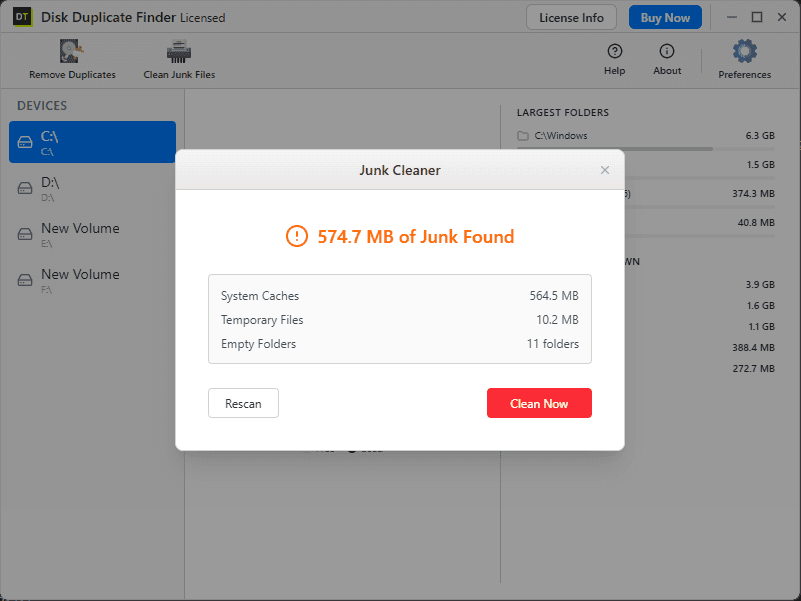
Built-in Junk Cleaner: a second fast pass clearing system caches, temporary files and empty folders
100% offline: no upload step slows the scan down, everything runs on-device
Quick Duplicate Finder vs. Fast Duplicate Remover: Two Different Jobs
The two phrases get used interchangeably, but they describe different halves of the same task. A quick duplicate finder is about discovery, scanning fast enough to see what's actually wasting space without committing to anything yet. A fast duplicate remover is about the second half, clearing what's already been found without a separate confirmation click for every single file.
DT Fast Duplicate Finder & Remover treats both as first-class. Quick Scan mode exists purely for discovery, a name-and-size pass that returns results in seconds even on drives holding hundreds of thousands of files. Once a group is confirmed, removal is exactly as fast: select the whole group, choose Bin, Folder, or Permanent Delete, and it's handled in one action instead of one file at a time.
This is also why running Quick Scan first and Full Scan second is usually the fastest realistic workflow on a large drive: narrow the field with the quick pass, then spend the extra scanning time only where BLAKE3-level certainty actually matters.
Quick Duplicate Finder Mode and Full Scan, Side by Side
Matches files by name and size, the fastest possible comparison since it never reads file content. This is the right first move on an unfamiliar drive, surfacing the most obvious duplicates, exact re-uploads and unmodified copies, in the shortest possible time.
Matches files by BLAKE3 content hash, a byte-for-byte fingerprint that catches every duplicate regardless of filename, including files renamed or moved at some point. Multi-threading is what keeps this thorough method fast rather than turning it into a trade-off, making this the mode to trust before a migration, storage audit, or any cleanup where a missed renamed duplicate isn't acceptable.
Running Quick Scan first and Full Scan on the results that matter afterward is often the fastest realistic workflow on a very large drive: narrow the field quickly with the quick duplicate finder pass, then spend the extra time on complete accuracy only where it counts.
What Actually Makes a Duplicate Finder Fast
Parallel file comparison
A single-threaded scanner works through a queue one file at a time. Multi-threading distributes that same queue across every available CPU core, which is the largest single factor separating a fast duplicate finder from a slow one on a drive with hundreds of thousands of files.
Hash algorithm choice
BLAKE3 is significantly faster than older checksum methods like MD5 or SHA-1 at the same accuracy level, which is why it's the default here rather than a legacy algorithm most older duplicate finders still rely on.
Scan scope
A quick duplicate finder pass filtered to a single file category will always beat an unfiltered full-disk sweep. Narrowing scope, Images only, or Archives and Databases together, is one of the simplest ways to cut scan time without losing accuracy where it matters.
Drive hardware
An SSD reads and compares files faster than a spinning HDD purely due to hardware, and no duplicate remover tool, however fast, changes that ceiling. An external drive on a slower connection will scan slower than an internal one regardless of software.
DT Fast Duplicate Finder & Remover is built around the first two factors directly, multi-threading and a modern hash algorithm, while category filtering hands direct control over the third.
Every Format, Without Slowing Down
A fast duplicate remover that only covers photos and documents is solving half the problem and calling it done. This one scans nine full categories inside the same multi-threaded pass, with filters available when only one category needs attention.
Documents
DOCX, PDF, XLSX, PPTX, TXT, RTF and more
Images
JPG, PNG, HEIC, RAW formats, GIF, TIFF and more
Videos
MP4, MOV, AVI, MKV, WMV and more
Audio
MP3, WAV, FLAC, AAC, M4A and more
Archives
ZIP, RAR, 7Z, TAR and more
Databases
SQL, DB, MDB and more
Executables
EXE, MSI, DLL and more
Development files
source code, config files, project files
Everything else
a dedicated Other category catches anything outside the standard groups
A developer clearing build artifacts doesn't need photo scanning slowing the pass down, and a photographer clearing a camera roll doesn't need executables and archives included. A quick duplicate finder scan filtered to exactly the category that matters is faster on every drive, every time.
Watch How It Works
See step-by-step how to use the software and get the most out of its features in this quick video guide.
From Cluttered Drive to Clean Drive, Fast
Pick a scan speed first
Choose quick duplicate finder mode for an instant name-and-size check, or Full Scan for complete BLAKE3 hash accuracy. The right choice depends on whether this is a first look or a final cleanup.
Narrow the target
Select a drive and, optionally, a single file category to cut scan time further before running anything.
Watch it run in real time
A live counter shows files and folders processed as the multi-threaded engine works through the selected scope.
Let the selection assistant sort it
Duplicate groups appear pre-marked, with one original automatically protected per group, no manual checkbox-by-checkbox review needed.
Remove with one action per group
Choose Bin, Folder, or Permanent Delete, applied in bulk to an entire group instead of file by file.
Fast Doesn't Mean Careless
Every duplicate identified is shown for review before anything happens. DT Fast Duplicate Finder & Remover runs entirely on the local machine, both quick duplicate finder passes and full BLAKE3 scans compare files on-device, with nothing uploaded anywhere.
Move to Bin keeps a fully recoverable copy in the Windows Recycle Bin. Move to Folder sets duplicates aside for a manual review pass. Permanent Delete is a distinct, deliberate action rather than a default, chosen per group, never applied automatically.
Full compatibility with Windows 10 and Windows 11.
DT Duplicate Finder and Remover: Free Demo vs Full Version
Scan speed is never throttled in the free demo. Every scan runs at full multi-threaded speed with complete, uncapped results. Only removal requires the full version.
| Feature | Free Demo | Full Version |
|---|---|---|
| Full-speed multi-threaded scan, all drives, all 550+ formats | Included | Included |
| Quick duplicate finder mode and full BLAKE3 scan, both tiers | Included | Included |
| Storage dashboard, largest folders, file type breakdown | Included | Included |
| View every duplicate group and exact space wasted | Included | Included |
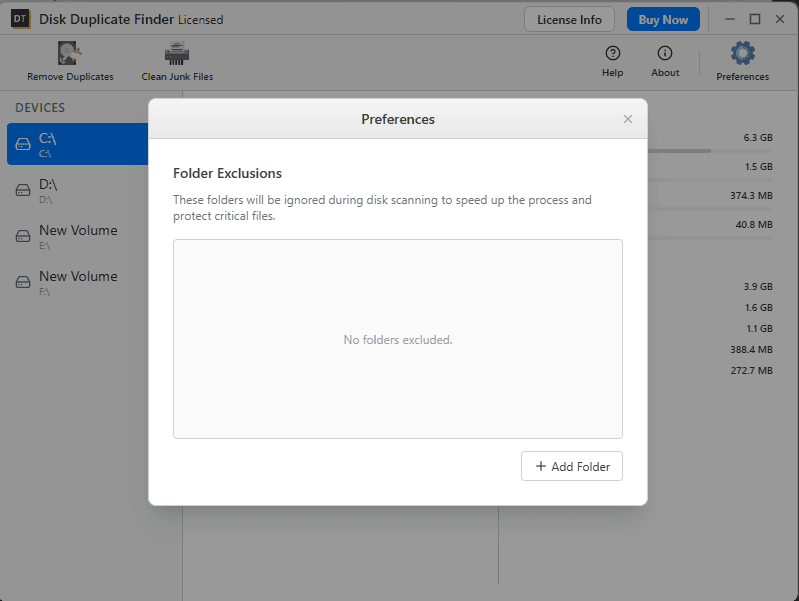
| Folder exclusions (Preferences) | Included | Included |
| Junk Cleaner, scan and clean system caches, temp files | Included | Included |
| Selection assistant, auto-mark duplicates for removal | Not included | Included |
| Remove duplicates as a duplicate remover tool (Bin/Folder/Permanent) | Not included | Included |
Fastest in Its Class: How It Compares
| Feature | Typical Duplicate Finders | DT Duplicate Finder and Remover |
|---|---|---|
| Scan architecture | Single-threaded or limited parallelism | Fully multi-threaded |
| Hashing method | Often legacy MD5/SHA-1, or unspecified | BLAKE3 by default, SHA-256 available |
| Speed vs. accuracy choice | Usually one fixed method | Quick duplicate finder mode or full scan, chosen per job |
| File formats covered | Mostly photos and documents | 550+ formats across 9 categories |
| Scope filtering to speed up a scan | Limited | Full category filtering |
| Removal as a duplicate remover tool | Usually one file at a time | Bulk actions per group: Bin, Folder, Permanent |
| Junk file cleaner included | Rarely, or a separate paid tool | Included in the same app |
| Free trial scan depth | Sometimes throttled or capped | Full speed, full results |
Who Needs a Fast Duplicate Finder
Whether you need a fast duplicate remover for a one-time cleanup or a quick duplicate finder you run every week, this tool covers both.
Anyone with a large, long-neglected drive
A slow scanner makes cleanup impractical past a certain file count. A fast duplicate finder turns a task that used to take an afternoon into a few minutes.
Photographers and video editors
Large media libraries with hundreds of thousands of files need scan speed that matches file count, not a tool that grinds through a camera roll one file at a time.
Developers
Build artifacts and dependency folders regenerate constantly. A quick duplicate finder pass that can be run often, without dreading the wait, actually becomes part of a regular routine.
Anyone preparing for a migration or upgrade
Time pressure before selling, upgrading, or migrating a machine makes a genuinely fast duplicate remover a practical requirement, not a convenience.
Frequently Asked Questions
QWhat's the difference between a quick duplicate finder scan and a full scan?
AQuick duplicate finder mode matches files by name and size only, which is the fastest possible comparison since it never reads file content. Full Scan runs a complete BLAKE3 content hash on every file, catching renamed or relocated duplicates that a name-and-size pass would miss. Both run on the same multi-threaded engine.
QIs this really a fast duplicate remover, or just a fast scanner?
ABoth halves are built for speed. Scanning uses multi-threaded comparison across CPU cores, and removal is bulk-based, an entire duplicate group can be sent to the Recycle Bin, a review folder, or permanently deleted in one action instead of one file at a time.
QWhat hashing method does the full scan use?
ABLAKE3 by default, chosen specifically for being faster than older checksum methods like MD5 or SHA-1 at the same accuracy level. SHA-256 is available in settings for anyone who needs it for compatibility with an existing audit workflow.
QHow long does a full drive scan actually take?
AIt depends on file count, drive speed, and which mode is selected. Multi-threaded processing keeps scan time far below a single-threaded tool doing the same job, and quick duplicate finder mode finishes faster still since it never reads full file content.
QIs the free demo scan slower or limited compared to the paid version?
ANo. Scan speed and scan depth are identical in both. The free demo runs the same multi-threaded engine at full speed with complete, uncapped results. Only removing duplicates requires the full version.
QCan I use this purely as a duplicate remover tool without scanning the whole drive again?
AYes. Results from a completed scan stay available for review and action in that session, groups can be sent to the Recycle Bin, moved to a folder, or permanently deleted without triggering a fresh scan.
QWill it delete files I need by mistake?
ANo file is removed automatically. Every duplicate group is shown for review first, and removal only happens after choosing Move to Bin, Move to Folder, or Permanent Delete for that specific group.
QDoes it work on external drives as well as internal ones?
AYes. Internal HDDs and SSDs as well as external USB drives can be scanned, though an external drive's connection speed will affect scan time regardless of which software is used.
QDoes it work on Windows 10 and Windows 11?
AYes, fully compatible with both.
System Requirements
| Software Version | 25.8.0 |
| Software Size | 8.45 MB |
| Operating System | Windows 11, Windows 10, Windows 8.1 |
| Storage | Internal HDD/SSD, External USB Drives |
| Scan Engine | Multi-threaded, parallel file comparison |
| Internet Required | No, works entirely offline |
What Real Users Say
"I scanned a 2TB drive of 4K footage and the multi-threaded engine finished in a fraction of the time my old duplicate finder took. Quick Scan found the obvious stuff in under a minute."
Alex P.
Video Producer
Verified by Data TB
"What sold me was the removal side, not just the scan. Selecting a whole group and hitting Move to Bin instead of clicking through 40,000 files one at a time actually got the cleanup done."
Maria G.
Small Business Owner
Verified by Data TB
"Being able to see it's using BLAKE3 instead of some unnamed 'smart algorithm' made me trust the results enough to run Permanent Delete on 200GB without a second scan to double-check."
Daniel T.
Software Developer
Verified by Data TB
Run the Fastest Scan This Drive Has Had
Multi-threaded scanning, quick duplicate finder mode for instant results, BLAKE3 accuracy when it counts, and a duplicate remover tool that clears whole groups in one action. See exactly how much space is wasted, in a fraction of the time a single-threaded tool would take.