
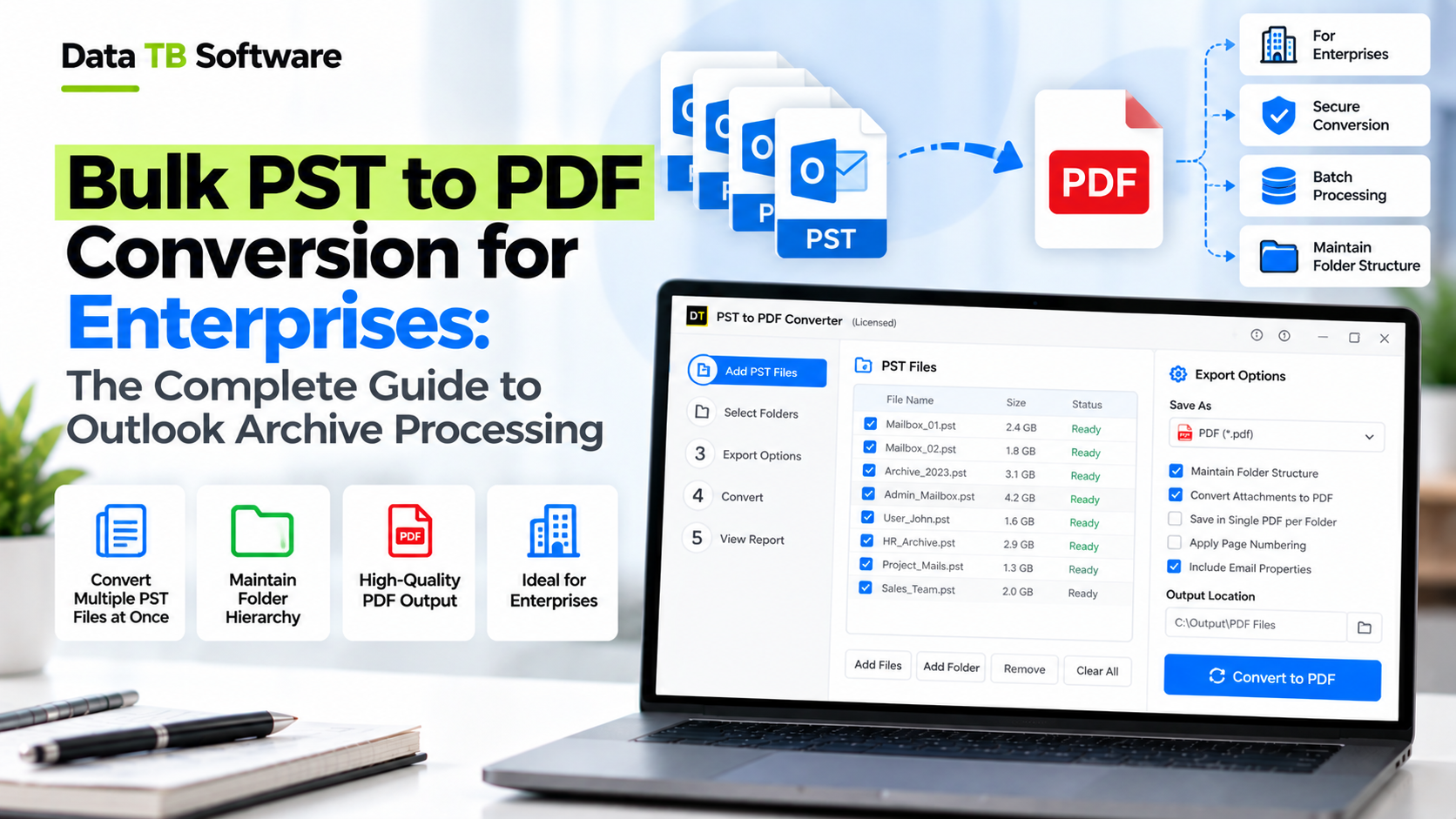
Quick Summary: To convert PST files to PDF at enterprise scale, load your PST or OST files into a dedicated converter by drag and drop or folder import, preview the folder tree, choose the Export option, select PDF as the format, verify your configuration (filters, attachments, naming, destination) and click Start. Microsoft Outlook can only print one email at a time, so enterprise archive projects need a dedicated tool that reads PST files directly, processes healthy and corrupt files, and preserves full folder hierarchy without Outlook installed.
A few years ago a client sent me a hard drive with a folder called "Archive_Final". Inside were 214 PST files from 9 years of staff turnover, the oldest still in ANSI format, a few of them refusing to open at all. Legal needed everything from one department, between two dates, as PDFs, in four days.
Nobody in that room doubted that PDF was the right format. The real question was how to get from 214 PST files to a clean, organised set of PDF documents without anyone printing emails by hand. That is the gap this guide fills. It covers why enterprises choose PDF, where the manual route breaks, how to plan a bulk conversion, and the exact steps to run it with DT PST Converter.
Why Enterprises Convert PST Files to PDF
PST is a working format. It is built for Outlook to read and write, not for storage that outlives Outlook. PDF is the opposite: a fixed, widely readable document that opens on any device years from now. That difference drives most enterprise conversion projects:
- Employee offboarding: When someone leaves, their mailbox often ends up as a PST file. HR, legal or the manager may later need to read it, and not everyone has Outlook installed or licensed.
- Legal holds and eDiscovery: Legal teams review email as documents. PDF output makes review, numbering, bates stamping, annotation and sharing straightforward for non-technical teams.
- Audits and regulatory requests: Auditors require durable records that cannot be edited accidentally, with sender, recipient, timestamp and subject clearly visible on the page.
- Mergers and system retirements: Old archives from acquired companies or decommissioned mail servers need a neutral format that does not depend on legacy software.
- Long-term retention: Retention policies often run for seven years or more. A PDF opened in year seven requires no special email client, no subscription and no matching Outlook version.
- Evidence sharing: Sending 40 specific emails to outside counsel is far simpler as 40 individual PDFs than as an unwieldy 20 GB PST archive.
Where the Manual Method Breaks Down
Outlook does offer a way to generate a PDF: open the PST in Outlook, open an email, choose File, select Print, and pick Microsoft Print to PDF. It works for a single email, but that is also its limit:
- It handles only one email at a time. A folder with 400 emails requires 400 repetitive manual operations.
- Attachments are not converted. They stay embedded inside the message and never appear in the PDF output.
- Folder structure is completely lost because every PDF lands in one flat folder unless sorted manually.
- It requires Outlook to be installed, licensed and functioning, which is rarely true when processing archives from former staff.
- Corrupt or oversized PST files frequently fail to open in Outlook at all.
- There are no automated date, sender or subject filters, preventing targeted extraction for legal requests.
- The process is not auditable or repeatable when compliance requires proof of how data was extracted.
Print to PDF vs Scripts vs a Dedicated Converter
| Feature | Outlook Print to PDF | Outlook Scripting | DT PST Converter |
|---|---|---|---|
| Emails per run | One | Many, after custom coding | Entire folders and batch PST files |
| Outlook required | Yes | Yes | No |
| Folder structure kept | No | Only if custom scripted | Yes, exact hierarchy mirrored |
| Attachments handled | No | Only if custom scripted | Choose embed, separate folder or skip |
| Date and sender filters | No | Only if custom scripted | Built in |
| Preview before export | Only inside Outlook | No | Yes, full interactive preview |
| Corrupt PST files | Fails to open | Fails to open | Handled by raw binary parser |
| OST files | No | No | Supported natively |
| Setup effort | None | High developer investment | Instant install and run |
What a Good Enterprise PST to PDF Converter Needs
Before choosing a solution for large archive operations, evaluate it against twelve core criteria:
1. Direct PST and OST reading: Zero dependency on Microsoft Outlook, allowing execution on any Windows workstation or server. 2. Healthy and corrupt file handling: Enterprise archives frequently contain damaged sectors. The tool must parse raw records without stalling the queue. 3. Bulk input: Capable of loading entire folders of archives in one step rather than forcing single-file imports. 4. Interactive preview: Inspect folders, email bodies, attachments and metadata before committing to disk. 5. Granular filtering: Filter by date range, sender, recipient, subject keyword and specific folder paths. 6. Attachment control: Embed attachments directly, save them to dedicated subfolders, or omit them to save space. 7. Preserved folder hierarchy: The output directory must mirror the original mailbox tree for evidential integrity. 8. Controlled naming conventions: Standardised file naming ensures thousands of PDFs remain easily sortable and indexed. 9. ANSI and Unicode support: Legacy Outlook 97-2002 files and modern Unicode archives must process equally well. 10. High capacity stability: Large archives exceeding 50 GB must convert reliably without memory leaks or system freezes. 11. Non-destructive read-only access: The original PST file must remain completely unaltered. 12. Free verification demo: A functional trial to validate output quality on real data prior to licensing.
DT PST Converter meets all twelve requirements. It operates directly on PST and OST files, handles damaged archives, processes in bulk, and writes compliance-ready PDFs with complete metadata intact.
The 6 Phase Workflow for a Bulk PST to PDF Project
While software capability is essential, a structured operational process ensures enterprise projects finish on schedule:
Phase 1: Define the Scope
Document exact requirements before touching any data. Identify which individuals or departments are included, the applicable date range, whether Junk and Deleted folders are excluded, and how attachments must be delivered. A concise one-paragraph scope ensures conversion parameters are applied accurately.Phase 2: Inventory the Archives
Consolidate all PST and OST archives into a secure working folder. Record filenames, file sizes, and custodian names. Flag legacy ANSI files, password-locked archives, or damaged files. Always work on verified copies, keeping original archives in read-only storage.Phase 3: Plan the Output Layout
Establish the destination structure, typically one parent folder per custodian or project. Determine file naming conventions and verify free disk capacity. Because embedded images and attachments can expand output size, ensure destination storage provides adequate buffer space.Phase 4: Run a Pilot Test
Select a representative, mid-sized archive containing attachments and convert a sample batch using the free demo. Inspect output PDFs to verify headers, inline graphics, attachments, and directory layout. Finalise your configuration now rather than discovering discrepancies after hundreds of files have finished.Phase 5: Execute the Full Conversion
Load the complete file inventory into DT PST Converter, apply the specified filters, configure attachment rules and naming patterns, and begin processing. The application processes the queue systematically in the background.Phase 6: Validate and Deliver
Cross-check generated file counts against preview statistics, sample documents from each custodian folder, and verify date bounds. Document a concise execution log listing source files, applied filters, and run timestamps to maintain an auditable chain of custody.How to Convert PST to PDF in Bulk with DT PST Converter
Follow this step by step process for Phase 5:
Step 1: Download and Launch the Software
Install DT PST Converter on a Windows workstation or server. The utility runs locally with no Outlook installation or internet access required.Step 2: Import PST and OST Archives
Drag and drop your files directly into the interface, or click Select Files / Select Folder to load an entire directory at once. Healthy and damaged archives can be queued together in the same session.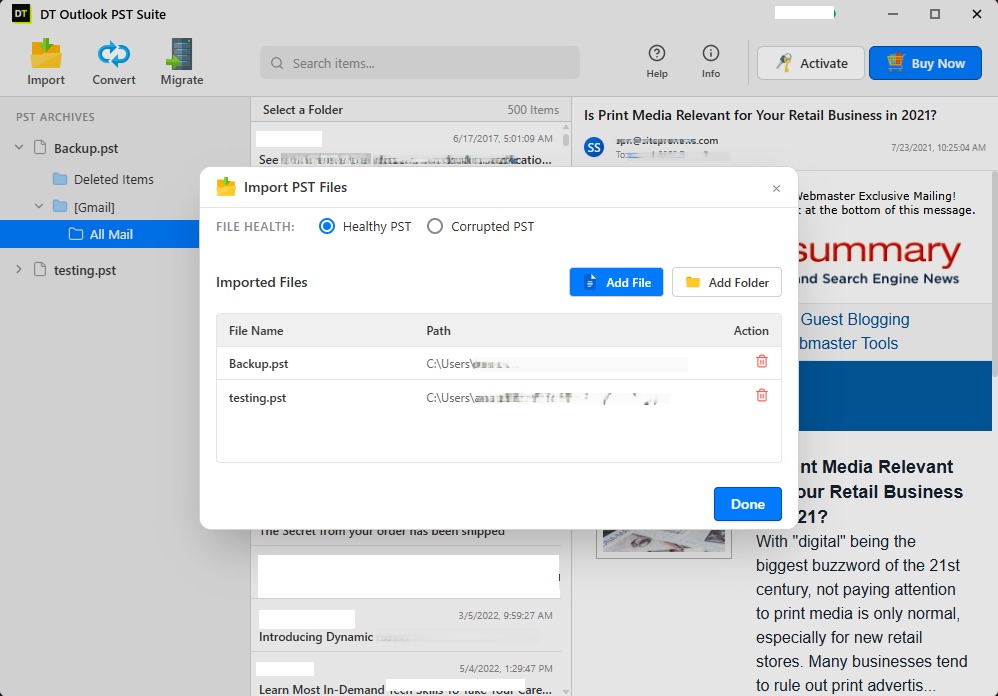
Step 3: Inspect Data in the Preview Pane
The left panel displays the reconstructed folder tree containing emails, attachments, contacts and calendars. Click any message to inspect headers and formatting. Check the folders required for export and uncheck unwanted directories such as Deleted Items.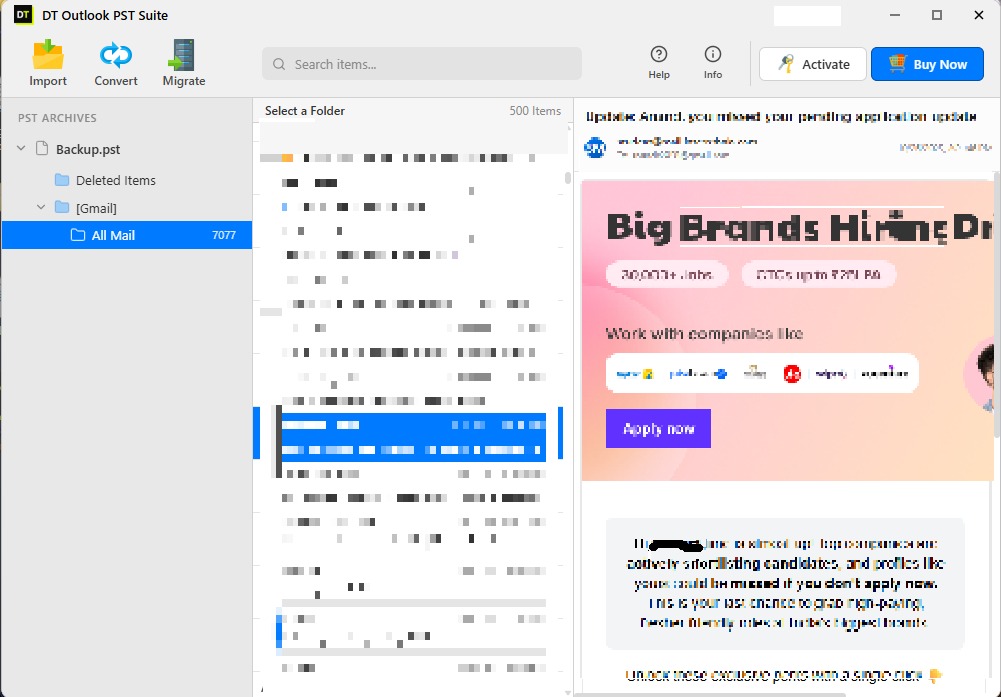
Step 4: Open the Export Menu
Click the Export button to configure output parameters and transition from review to extraction.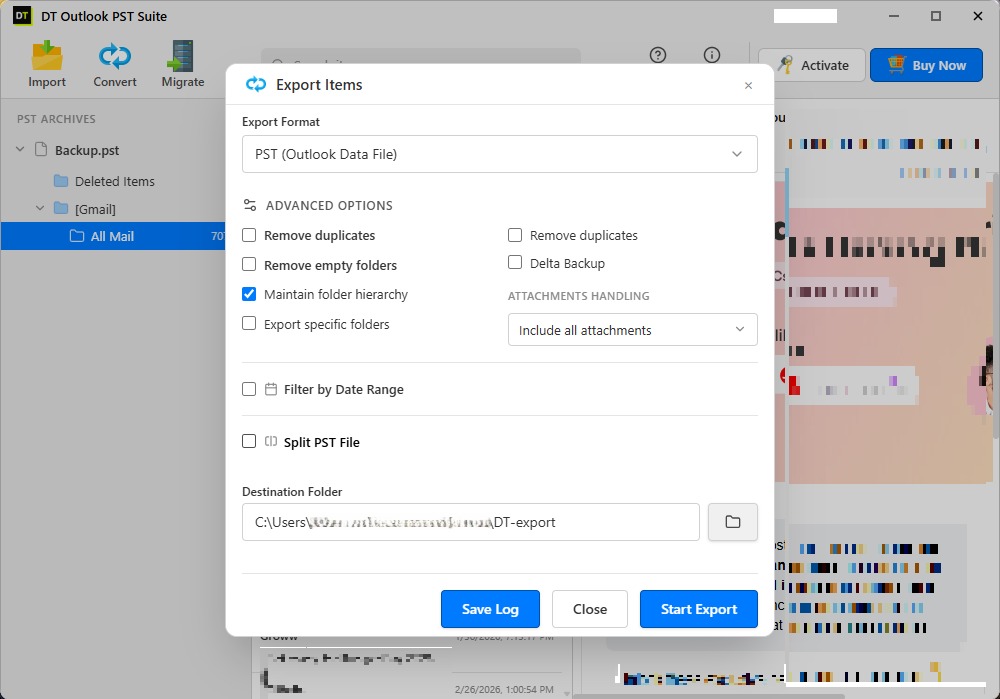
Step 5: Select PDF as Output Format
From the list of supported formats, choose PDF. Each message converts into a self-contained PDF document containing sender, recipient, date, subject, body, and inline media.Step 6: Configure Enterprise Settings
Refine your export parameters:- Date Range: Restrict output to the required calendar boundaries.
- Search Filters: Filter by sender, recipient, or subject keywords.
- Attachment Handling: Embed attachments within the PDF, save them into separate subfolders, or convert attachments into PDF format.
- File Naming: Select standard naming patterns (such as Subject-Date or Sender-Subject) for systematic sorting.
- Destination Folder: Choose your target directory with adequate free storage.
Step 7: Click Start
Click Start to begin conversion. A real-time progress monitor displays current items and estimated completion. When finished, your destination folder contains organised PDF files matching the mailbox structure.The free trial converts 40 items per folder, providing ample verification for Phase 4 pilots before activating a full license.
Handling Corrupt PST Files in a Bulk Job
Large historical archives almost always contain damaged files resulting from disk errors, truncated network transfers, or exceeding file size limits. Legacy ANSI PST files created in Outlook 2002 or earlier are strictly capped at 2 GB, while Unicode PST files (Outlook 2003 and later) can also become unreadable if Outlook shuts down abnormally.
Standard utilities and Outlook itself fail when encountering these files. DT PST Converter employs a low-level binary parser that reads raw email blocks directly, recovering inaccessible messages and attachments without requiring Microsoft scanpst.exe repair routines.
Converting Offline OST Files to PDF
OST files represent offline mailbox caches generated by Outlook for Microsoft 365, Exchange, and IMAP profiles. When user accounts are decommissioned or mail servers decommissioned, the orphaned OST file becomes inaccessible in Outlook.
DT PST Converter processes OST files through the exact same workflow as PST archives, allowing organizations to convert orphaned OST caches directly into searchable PDF documents. For dedicated OST workflows, see the DT OST Converter page.
Field Recommendations for Large PDF Exports
- Organise by Custodian: Keep one parent folder per individual to simplify audit verification.
- Segment by Date Ranges: Process multi-year archives in annual or quarterly batches to streamline validation.
- Standardise Attachment Rules Early: If legal counsel requires separate document review, export attachments into isolated folders.
- Exclude Junk and Trash: Omitting non-essential folders reduces total output volume and review costs.
- Maintain Immutable Source Files: Always keep original PST files in read-only archives throughout the engagement.
- Split Oversized Files: For massive source files, the DT PST Split & Merge tool can split files before processing.
- Document an Audit Log: Keep a short record of input filenames, filter criteria, and execution dates for compliance records.
Security and Privacy for Sensitive Archives
Enterprise mailboxes routinely contain confidential contracts, employee records, and privileged communications. Cloud-based conversion services require uploading private archives to external servers, creating unacceptable regulatory exposure.
DT PST Converter operates 100% locally on your own infrastructure. No email content, attachments, or metadata are ever transmitted off your network, ensuring complete alignment with HIPAA, GDPR, SOX, and internal data security policies.
Additional Conversion and Migration Paths
While PDF is ideal for archival and legal review, other operational scenarios require different formats:
- Migrating to Thunderbird or Apple Mail: Export directly to MBOX using DT PST to MBOX Converter.
- Direct Cloud Mailbox Migration: Upload archives straight into Office 365, Gmail, or IMAP servers using DT PST Migrator.
- Individual Message Storage: Export messages as individual
.msgor.emlfiles. - Address Book and Calendar Extraction: Extract contacts to CSV/VCF and calendars to standard ICS.
Key Takeaways
- Outlook Print to PDF handles only one email at a time and strips attachments. Enterprise scale requires a dedicated batch converter.
- Professional tools operate independently of Outlook, recover damaged files, and retain folder hierarchy.
- A disciplined 6-phase process (Scope, Inventory, Plan, Pilot, Conversion, Validation) prevents operational delays.
- Local desktop processing guarantees compliance and confidentiality for sensitive data.
Frequently Asked Questions
How do I convert PST files to PDF in bulk?
Load your PST files into DT PST Converter via drag and drop or folder import, inspect the mailbox tree, click Export, choose PDF, configure your filter and attachment settings, and click Start. The tool converts all selected folders in a single automated run.Can I convert PST to PDF without Outlook installed?
Yes. DT PST Converter reads PST and OST files directly at the binary level. It functions completely standalone without Microsoft Outlook or Office 365 installed.Does PST to PDF conversion include email attachments?
Yes. You can embed attachments within the generated PDF, save attachments into separate folders alongside each message, or convert attached documents directly to PDF.Can I convert a corrupted PST file to PDF?
Yes. DT PST Converter includes an integrated recovery parser that extracts emails, attachments, and folder trees from damaged, corrupted, or inaccessible PST and OST files.Can I convert OST files to PDF as well?
Yes. Offline and orphaned OST files load seamlessly and convert to PDF following the exact same workflow as PST files.Is there a limit on file size or batch volume?
No. You can convert single archives or hundreds of gigabytes across multiple files in a single session without encountering artificial limits.Can I filter emails by date or specific sender?
Yes. The configuration screen provides date range filtering, sender and recipient filters, and subject keyword filters to isolate only relevant correspondence.Will the folder structure be preserved in the PDF output?
Yes. Every folder and subfolder is recreated in the destination directory exactly as structured in the original mailbox.Is PDF suitable for legal hold and regulatory compliance?
Yes. PDF is universally accepted for legal discovery, regulatory audits, and long-term retention because it provides a durable, tamper-resistant document record that opens reliably across all computing platforms.Is it safe to convert sensitive corporate mailboxes with this tool?
Yes. All processing occurs locally on your machine. No data is transmitted across the internet, ensuring complete privacy and regulatory compliance.What does the free trial include?
The trial version allows you to preview complete mailbox hierarchies and convert up to 40 items per folder, providing full capability to validate formatting and attachments before purchasing.Can I convert PST archives to formats other than PDF?
Yes. DT PST Converter supports 20+ formats including MBOX, EML, MSG, HTML, DOCX, CSV, VCF and ICS, and supports direct migration to Office 365 and Gmail.Convert Your Outlook Archives to PDF Today
Download the free trial of DT PST Converter, test your pilot batch on real archives, and verify document output. When ready, license the software to complete your archive migration in a single automated pass.