
Every Byte Matters.
DT pCloud Suite
Mount pCloud as a Local Drive, Alongside Every Other Cloud You Use
If pCloud is the only cloud storage you have, the free pCloud Drive app that comes with your account already mounts it as a local drive, and that is a good, capable tool on its own. DT pCloud Suite is built for a different moment: the one where pCloud sits next to Google Drive, OneDrive, Dropbox, S3, or a handful of other accounts, and installing a separate native app for each one has started to feel like clutter. Mount pCloud through DT pCloud Suite and it shows up as a local drive in File Explorer exactly like your other mounted clouds, all managed from the same install, the same interface, the same license.


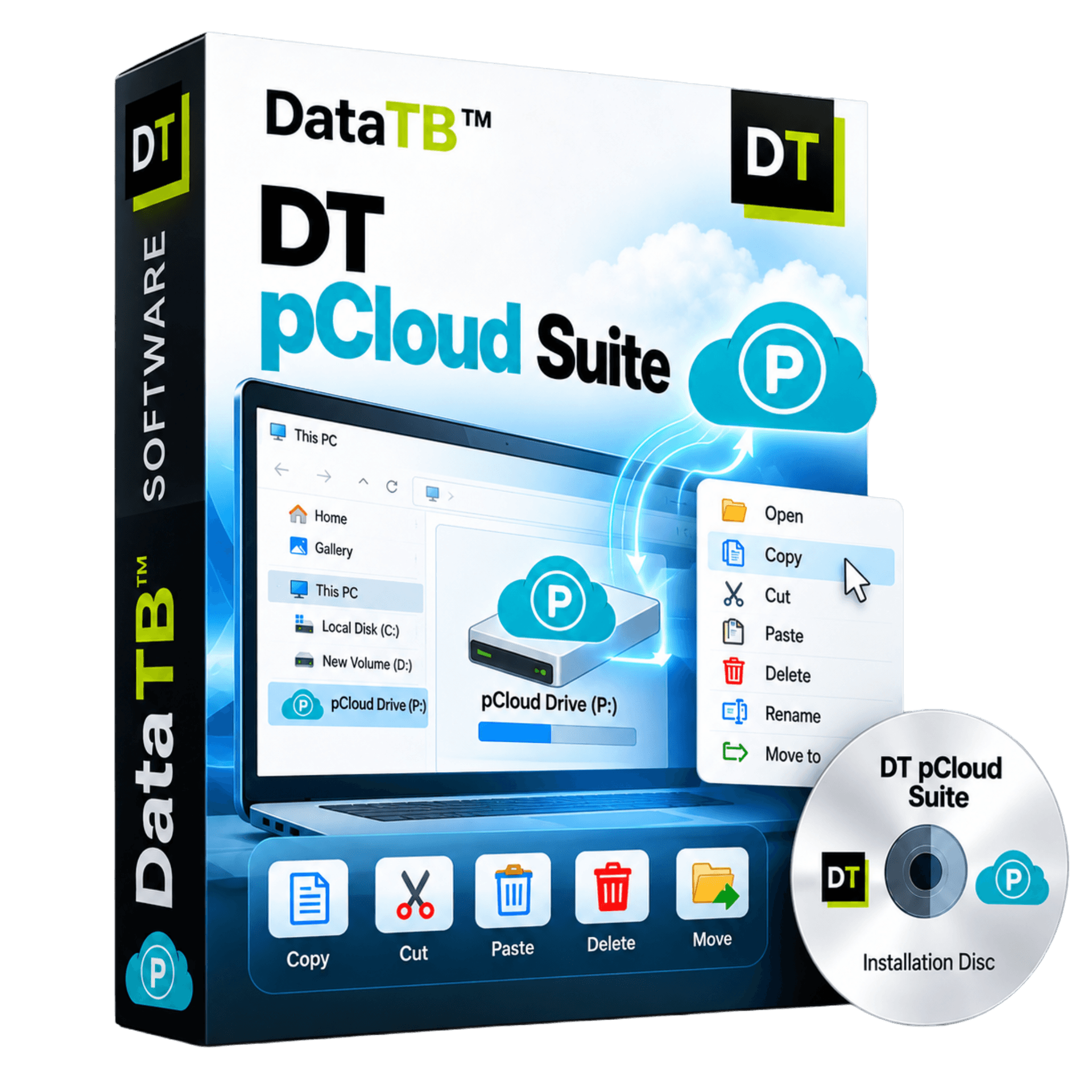
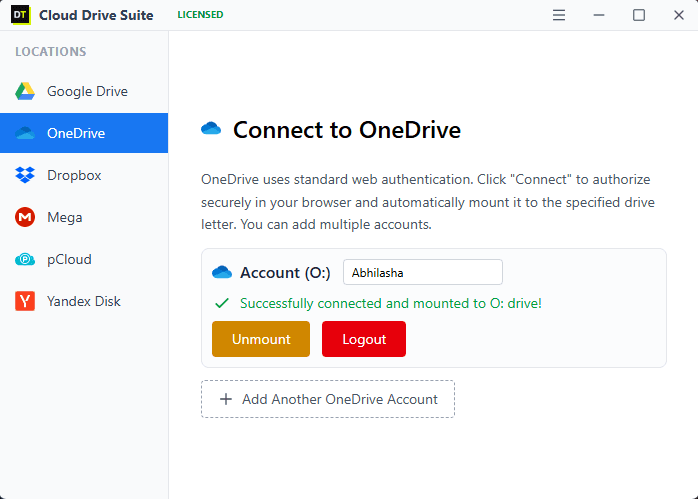

Quick Summary: DT pCloud Suite mounts your pCloud account as a native local drive on Windows or macOS, using the same interface as DT's other cloud mounting tools. Best suited to anyone running pCloud alongside other cloud providers, or anyone who needs more than one pCloud account mounted at once.
Why Choose DT pCloud Suite Over the Native pCloud Drive
This is worth answering honestly rather than glossing over, since it is the first question anyone who already uses pCloud will ask.
If pCloud is your only cloud account, the native pCloud Drive app that ships free with your account does the core job well: it mounts as a P: drive, streams files on demand, and does not eat your local disk space. There is no reason to add a second tool just to duplicate that.
DT pCloud Suite earns its place in three specific situations. First, when pCloud is one of several cloud accounts you manage and you would rather run one app than a separate native client per provider, each with its own tray icon, its own update cycle, its own quirks. Second, when you need more than one pCloud account mounted side by side, since running two instances of the native app for two accounts on the same machine is not something pCloud's own client is built to do cleanly. Third, when you want mount behavior that stays consistent across every cloud you use, so pCloud, Google Drive, and S3 all behave, update, and get configured the same way instead of learning a different interface for each.
Core Features
Mount pCloud as a Native Local Drive
Connect your pCloud account and it appears as a drive letter or mount point on your system, the same way a USB drive appears the instant you plug it in. Files open, save, and run directly from the mounted drive.
Manage pCloud Alongside Every Other Cloud You Use
Mount pCloud next to Google Drive, OneDrive, Dropbox, Mega, Box, Nextcloud, Amazon S3, Google Cloud Storage, Azure Blob Storage, Backblaze B2, DigitalOcean Spaces, or an FTP/SFTP server, all through the same app, all behaving the same way in File Explorer.
Mount More Than One pCloud Account at Once
Running personal and work pCloud accounts side by side is straightforward, each shows up as its own mounted drive rather than requiring a workaround.
Native Speed Copy, Move, Delete, and Execute
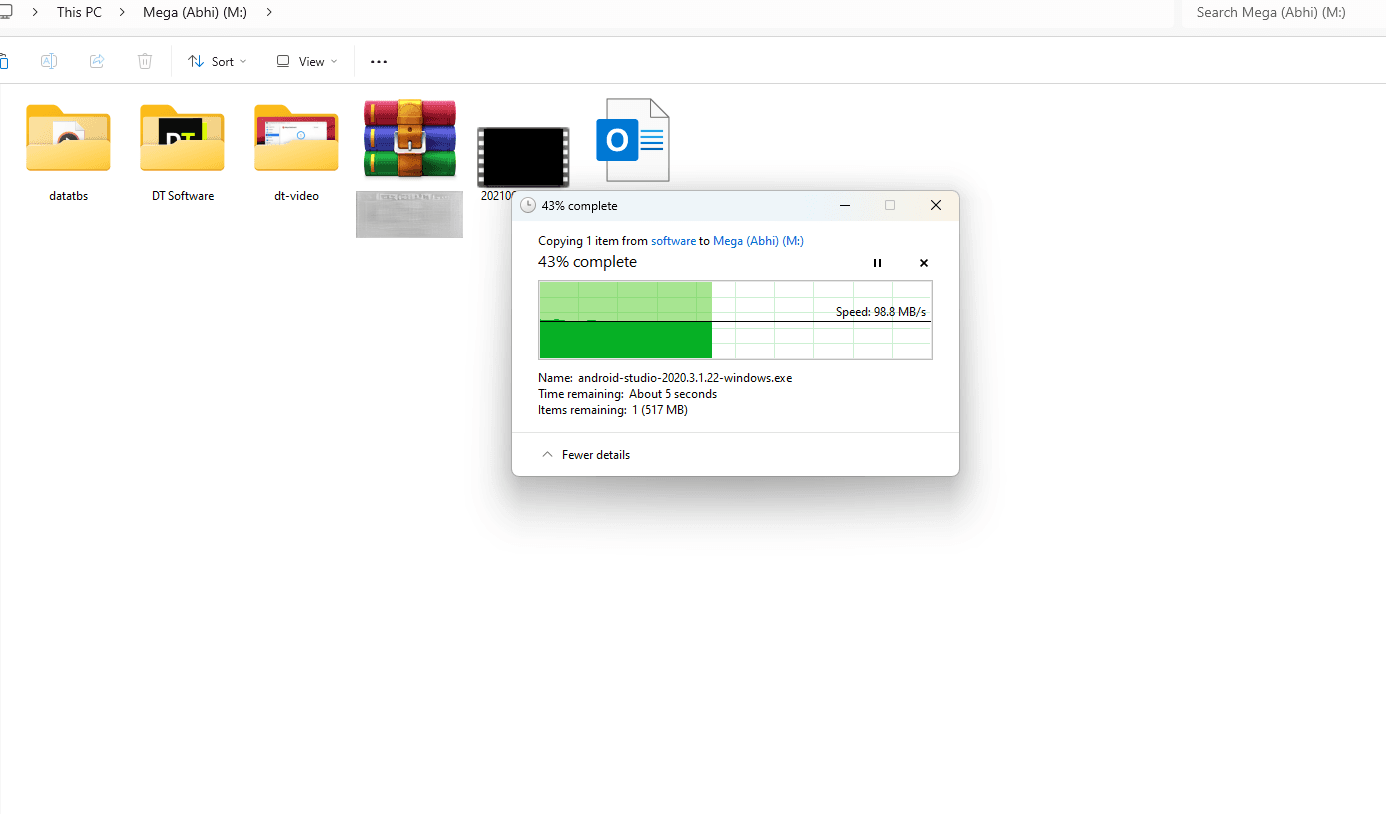
Once mounted, file operations run at native speed. Copy a folder, cut and paste between pCloud and any other mounted drive, delete a batch of files, or open and run a file directly, the same as working with a physical external disk.
Stream Without Downloading First
Open a video or a large file directly from the mounted pCloud drive and it streams as needed, instead of requiring a full download before you can view a single frame or page.
No Size Limits, No Restrictions
There is no cap on file size and no artificial restriction on what you can do once pCloud is mounted and licensed. Copy, paste, delete, move, back up, restore, or migrate, exactly like any drive attached to your machine.
Runs at Your Full Internet Speed on License
The free demo mounts one cloud drive, pCloud included, with transfer speed capped at 3MB/s, enough to test the mounting experience before buying. The licensed version removes that cap entirely and runs at the maximum speed your internet connection supports.
How to Install and Mount pCloud
1. Download and install DT pCloud Suite
A single lightweight installer for Windows or macOS. No separate driver downloads needed.
2. Sign in to your pCloud account
Authenticate once, the same way you would with pCloud's own app.
3. pCloud appears as a local drive
Open File Explorer or Finder and pCloud shows up as a drive letter or mount point, alongside any other cloud drives you have mounted through the same app.
4. Work with it like any local drive
Copy, cut, paste, move, delete, rename, execute, or stream a file directly, including moving files straight between pCloud and another mounted cloud without a manual download step in between.
5. Unmount whenever you want
Disconnecting the drive does not touch your files. They stay exactly where they were in your pCloud account.
An Important Note Before You Start
DT pCloud Suite requires an active internet connection to work, the same as pCloud's own native drive. It is not an offline tool, since the drive it mounts is your pCloud account, not a local copy of it. The app's only job is to mount that connection cleanly: it does not sync files down to your disk in the background and does not act as a separate storage layer of its own.
The free demo lets you mount any one supported cloud drive, pCloud included, and try every operation, copy, move, delete, execute, stream, with transfer speed capped at 3MB/s so you can properly test the experience before buying. Once licensed, that cap is removed and the drive runs at your internet connection's maximum available speed, and you can mount pCloud alongside every other supported provider at once.
DT pCloud Suite vs Other Ways to Mount pCloud
| Feature | DT pCloud Suite | pCloud Drive (native) | RaiDrive / CloudMounter |
|---|---|---|---|
| Cost | Included in DT Cloud Drive Suite license | Free with any pCloud account | Free tier limited; paid from about $2 to $30+/month or year depending on tool |
| Mounts pCloud only, or many clouds | Many clouds, one consistent app | pCloud only | Many clouds, varies by tool |
| Multiple pCloud accounts at once | Yes | Not designed for this | Varies; some users report workarounds needed |
| Speed on licensed/paid plan | Your internet's maximum speed, no cap | Full speed, no cap | Generally uncapped once purchased |
| File size limits | None | None | None among direct competitors |
| Offline access | None, requires active connection | None, requires active connection | Mostly none, rare exceptions in the category |
Pricing and feature details for other products reflect public information at the time of writing and may change.
Who DT pCloud Suite Is For
The multi-cloud user who happens to use pCloud
pCloud for personal files, Google Drive from a client, OneDrive from work. One app mounts all three instead of running three separate native clients.
Anyone managing more than one pCloud account
Personal and business pCloud accounts mounted side by side, without needing separate app instances or manual switching.
Teams standardizing on one mounting tool
IT setups where consistency across every cloud provider matters more than using each vendor's own first-party client.
System Requirements
| Operating System | Windows 8.1, 10, 11 and up |
| Minimum RAM | 4 GB required |
| Product Version | 5.21.0 |
| Size | 29 MB |
| Installation | Local app install required to mount drives at the system level |
| Internet Required | Yes, at all times |
| Free demo speed | Capped at 3MB/s, one cloud drive |
| Licensed speed | Up to your internet connection's maximum available speed |
| File size limits | None |
| Data Traffic Limits | No monthly data traffic cap on any plan |
Frequently Asked Questions
QDoes pCloud already have its own way to mount as a local drive?
AYes. pCloud Drive is a free feature built into the official pCloud desktop app and mounts your account as a local drive automatically. If pCloud is the only cloud storage you use, that native tool covers the basics well. DT pCloud Suite is built for people who also use other cloud providers and want one consistent app instead of a separate native client per provider, or who need more than one pCloud account mounted at once.
QDoes DT pCloud Suite work offline?
ANo. It requires an active internet connection at all times, the same as pCloud's own native drive. What you see mounted is always the current, live state of your pCloud account.
QWhat exactly is limited in the free demo?
AThe free demo lets you mount one cloud drive of your choice, pCloud included, and use every feature, copy, move, delete, execute, and stream, with transfer speed capped at 3MB/s.
QWhat changes once I buy a license?
AThe 3MB/s speed cap is removed entirely, and you can mount pCloud alongside as many other supported cloud drives as your plan allows, all at your internet connection's maximum speed.
QCan I mount two pCloud accounts at the same time?
AYes, on a licensed plan, each pCloud account mounts as its own separate drive.
QIs there a file size limit?
ANo. Once pCloud is mounted, copy, move, delete, and every other operation work the same as they would on any local or external drive.
QDoes mounting store or copy my pCloud files anywhere else?
ANo. DT pCloud Suite does not store your files on its own servers and does not create a separate local copy. It mounts your existing pCloud account directly.
What Real Users Say
"I already had pCloud Drive for my main account, but once I added Google Drive and S3 to the mix, having everything mount through one app instead of three separate ones was worth switching for."
David Chen
Freelance Designer
Verified by Data TB
"Running two pCloud accounts side by side used to be a hassle. Now they both just show up as drives."
Sarah Miller
Small Business Owner
Verified by Data TB
Get Started
Mount pCloud alongside every other cloud drive you use, test it free, and upgrade whenever you are ready for full speed.
DT pCloud Suite is part of the DT Cloud Drive Suite family.