
Most cloud migration guides read as if every company is leaving a server room for the first time. That was the story ten years ago. Today a large share of projects are cloud to cloud: a team on one provider moves to another because of cost, a contract renewal, a compliance rule, an acquisition or simply a better fit. The planning looks similar on paper, but the risks are different, and a strategy copied from an on-premises playbook breaks quietly in places nobody checked.
This guide covers a cloud migration strategy that works for both situations, with extra depth on cloud to cloud migration. You will find the 7 Rs, a step-by-step plan, a checklist, cutover patterns, cost, security, tools and the mistakes behind most overruns. It also covers something most guides skip entirely: moving files and storage between cloud services.
Key Takeaways
- A cloud migration strategy decides what moves, in what order, by which method and who owns each step. It is a set of decisions, not a schedule.
- Cloud to cloud migration carries risks that on-premises moves do not: egress fees, service differences, identity mapping and dependencies hidden inside provider-specific features.
- Use the 7 Rs (rehost, relocate, replatform, refactor, repurchase, retire, retain) per workload, never one method for everything.
- Plan the cutover and the rollback together. A migration without a tested way back is a gamble.
- Retire what you do not need before you move it. It is the cheapest saving in the whole project.
What Is a Cloud Migration Strategy?
A cloud migration strategy is a documented plan for moving applications, data and infrastructure to a cloud environment, either from on-premises servers or from another cloud. It decides which workloads move, in what order, with which method, who owns each step, and how the business keeps running while it happens.
A good strategy answers five questions before any data moves: why are we migrating, what exactly is moving, how will each workload move, what will it cost, and how will we know it worked. If your plan cannot answer all five in a single page, it is not ready.
Cloud Migration vs Cloud to Cloud Migration
The two are often discussed as one topic. They are not the same job.
| Point | On-premises to cloud | Cloud to cloud |
|---|---|---|
| Starting point | Physical or virtual servers you control | Services built on one provider's features |
| Biggest technical risk | Hardware and network readiness | Hidden dependencies on provider-specific services |
| Data transfer cost | Usually free to take out of your own data center | Egress fees can be significant |
| Identity and access | Rebuilt from scratch in the new cloud | Roles and policies must be translated, not copied |
| Main driver | Agility, scale, exit from hardware | Cost, lock-in, compliance, performance, acquisition |
| Typical method | Rehost first, modernize later | Relocate, replatform or refactor, because the app already runs in a cloud |
Why Companies Move From One Cloud to Another
The reasons I hear most often are practical, not fashionable.
- Cost. A bill that grew faster than the business. Moving a steady workload to a provider with simpler pricing can pay for the whole project.
- Vendor lock-in. Teams that depend heavily on one provider's proprietary services want options before a price rise or contract change.
- Compliance and data location. A new regulation or customer contract may require data to stay in a specific country or region.
- Performance and reach. A different provider may offer better latency to your users or better access to specialized hardware.
- Mergers and acquisitions. Two companies on two clouds usually want to consolidate onto one.
- Service gaps. A needed database, analytics or AI service exists elsewhere and not on your current provider.
- Multi-cloud design. Some organizations deliberately spread workloads across providers for resilience and negotiating strength.
Cloud to Cloud Migration Challenges That Hurt Most
| Challenge | Why it hurts | What to do |
|---|---|---|
| Egress fees | Moving large volumes out of a provider can cost real money | Estimate transfer volume early and check the provider's current exit terms |
| Data gravity | Big datasets are slow and costly to move, and everything else tends to stay near them | Move data first or move data and its heaviest consumers together |
| Service differences | A managed service on one cloud rarely has an exact twin on another | Map every service you use and decide replace, replatform or rewrite |
| Identity and access | Roles, policies and service accounts do not translate one to one | Redesign access in the target and test with real users |
| Network design | Subnets, routing and private connectivity differ between providers | Build the network and test connectivity before any workload moves |
| Hidden dependencies | Old integrations and scheduled jobs nobody documented | Map dependencies from traffic and logs, not from memory |
| Downtime | Databases and stateful systems need careful cutover | Use replication and a rehearsed cutover window |
| Compliance gaps | Audit evidence and certifications do not move with the data | Confirm the target meets your requirements before you commit |
The 7 Rs of Cloud Migration Strategy
The older version of this framework had 5 Rs, then 6. Most teams now work with seven. Each workload gets one R, and a real project uses several.
1. Rehost (Lift and Shift)
Move the application as it is, with no code changes. It is the fastest route and the right call for a tight deadline or a stable legacy system. The trade-off is that you carry old inefficiencies into the new environment.2. Relocate
Move whole virtual machines or hosted infrastructure to the target platform without changing the guest operating system or the application. This one matters most for cloud to cloud and hybrid moves, because the workload is already virtualized and can often move with little re-architecture.3. Replatform (Lift, Tinker and Shift)
Make targeted changes without touching core application code. The classic example is replacing a self-managed database server with a managed database service. You gain lower maintenance for modest effort.4. Refactor (Rearchitect)
Redesign the application for the cloud, for example into microservices or event-driven functions. It takes the longest and costs the most, and it pays off for core systems that need to scale, change fast or cut running costs over years.5. Repurchase (Drop and Shop)
Replace the application with a SaaS product. It works when the app is a commodity, such as email, CRM or file storage, and the real cost is in running it, not in what makes it special.6. Retire
Switch off what nobody needs. Every migration surfaces old test environments, unused apps and stale data. Retiring them before the move shrinks scope, cost and risk at once.7. Retain (Revisit)
Leave certain workloads where they are because of latency, regulation or hardware you have not finished paying for. Retaining is a legitimate decision, not a failure, as long as you revisit it on a schedule.Which R Fits Which Workload?
| Workload | Usual choice | Effort | Main risk |
|---|---|---|---|
| Stable legacy app, hard deadline | Rehost | Low | Carries inefficiency forward |
| VMs already running in another cloud | Relocate | Low to medium | Network and licensing differences |
| App with a self-managed database | Replatform | Medium | Data sync and cutover timing |
| Core product that must scale | Refactor | High | Time, cost and skills |
| Commodity internal tool | Repurchase | Low to medium | Data export and user retraining |
| Idle staging or test systems | Retire | None | Someone still depends on it |
| Regulated or latency-bound system | Retain | None | Drift if never revisited |
How to Choose the Right Cloud Migration Strategy
Skip the framework debates and ask five questions about each workload.
- How much does the business depend on it? Critical systems need rehearsed cutovers and rollback.
- How hard is it to change? If nobody understands the code, do not refactor it in the same project.
- What is the deadline? A contract end date often forces rehost or relocate now and modernization later.
- How tied is it to the current provider? Heavy use of proprietary services pushes you toward replatform or refactor.
- What does it cost to run today and after? If the new running cost is not clearly better, question the move.
Cloud Migration Steps: A Practical Plan
1. Set goals you can measure. Write them down: target cost, acceptable downtime, performance numbers, compliance requirements and a date. Goals like "modernize" cannot be checked.
2. Take inventory. List applications, databases, storage, jobs, integrations, licenses and owners. Record real usage, not what the diagram says.
3. Map dependencies. Use traffic and logs to find what talks to what. Group systems that must move together into waves.
4. Assign an R to each workload. Use the table above. Retire first, then decide the rest.
5. Model the cost. Include transfer, parallel running, tooling, staff time and training. Compare it to the current bill honestly.
6. Build the landing zone. Set up accounts, identity, network, logging, backup and security baselines in the target before moving anything.
7. Run a pilot. Pick a low-risk workload, migrate it end to end and learn from it. This is the cheapest way to find your plan's flaws.
8. Migrate in waves. Move groups in the order your dependency map allows. Test each wave before starting the next.
9. Cut over and validate. Switch traffic, verify data integrity and performance against your baseline, and keep the old environment ready for a set period.
10. Decommission and optimize. Turn off the old environment, stop its billing and begin tuning costs and performance.
Cloud Migration Checklist
Before the move
- Business case, goals and success metrics approved
- Inventory and dependency map complete
- Every workload has an assigned R and an owner
- Cost model reviewed, including transfer and parallel running
- Compliance and data location requirements confirmed with the target
- Landing zone built and tested
- Backups taken and a restore test passed
- Rollback plan written and agreed
During the move
- Pilot completed and lessons applied
- Data replication running with integrity checks
- Change freeze communicated to all teams
- Monitoring and alerts live in the target
- Cutover rehearsed at least once
After the move
- Data and application tests passed
- Performance compared with the baseline
- Users and stakeholders informed and supported
- Old environment kept read-only for an agreed period, then removed
- Billing in the old environment confirmed stopped
- Lessons recorded for the next wave
Cutover Patterns and Rollback
| Pattern | How it works | Best for | Watch out for |
|---|---|---|---|
| Big bang | Switch everything in one window | Small, simple systems | Any failure hits everything |
| Phased (waves) | Move groups over time | Most real projects | Systems in two clouds at once need good connectivity |
| Parallel run | Run old and new together, then switch | Critical systems | Double running cost and data sync complexity |
How Much Does Cloud Migration Cost?
There is no honest single number, but there is an honest formula:
Total cost = data transfer and egress + parallel running + tooling and licenses + engineering time + downtime impact + training
Teams usually remember the first and forget the last two. Parallel running can be the largest hidden item when a migration drags on, because you pay for two environments at once. To keep cost down, retire unused systems first, right-size before you migrate rather than after, migrate in short waves and set a hard date for switching off the old environment.
Security and Compliance During Migration
Data is most exposed while it is moving. Build security into the plan from the start.
- Encrypt data in transit and at rest, in both environments.
- Use least-privilege access for the migration accounts, and remove them when the project ends.
- Keep audit logs of who moved what and when.
- Confirm where the target stores data and which laws apply there.
- Check that certifications and audit evidence your customers ask for exist in the target.
- Delete data from the old environment securely once validation is complete.
Migrating Files and Storage Between Cloud Services
Here is the part most cloud migration strategy guides never mention. Not every cloud to cloud move is about servers. Many are about files: a company moving years of documents from one cloud storage service to another, a team consolidating after an acquisition, or a user switching platforms. The same strategy applies. Inventory what you have, clean it up, plan the order, test with a small batch and validate at the end.
The usual manual route is to download everything and upload it again. It is slow, it depends on one machine and one internet connection, and it tends to break folder structure. For anything beyond a small folder, a dedicated migration tool saves days.
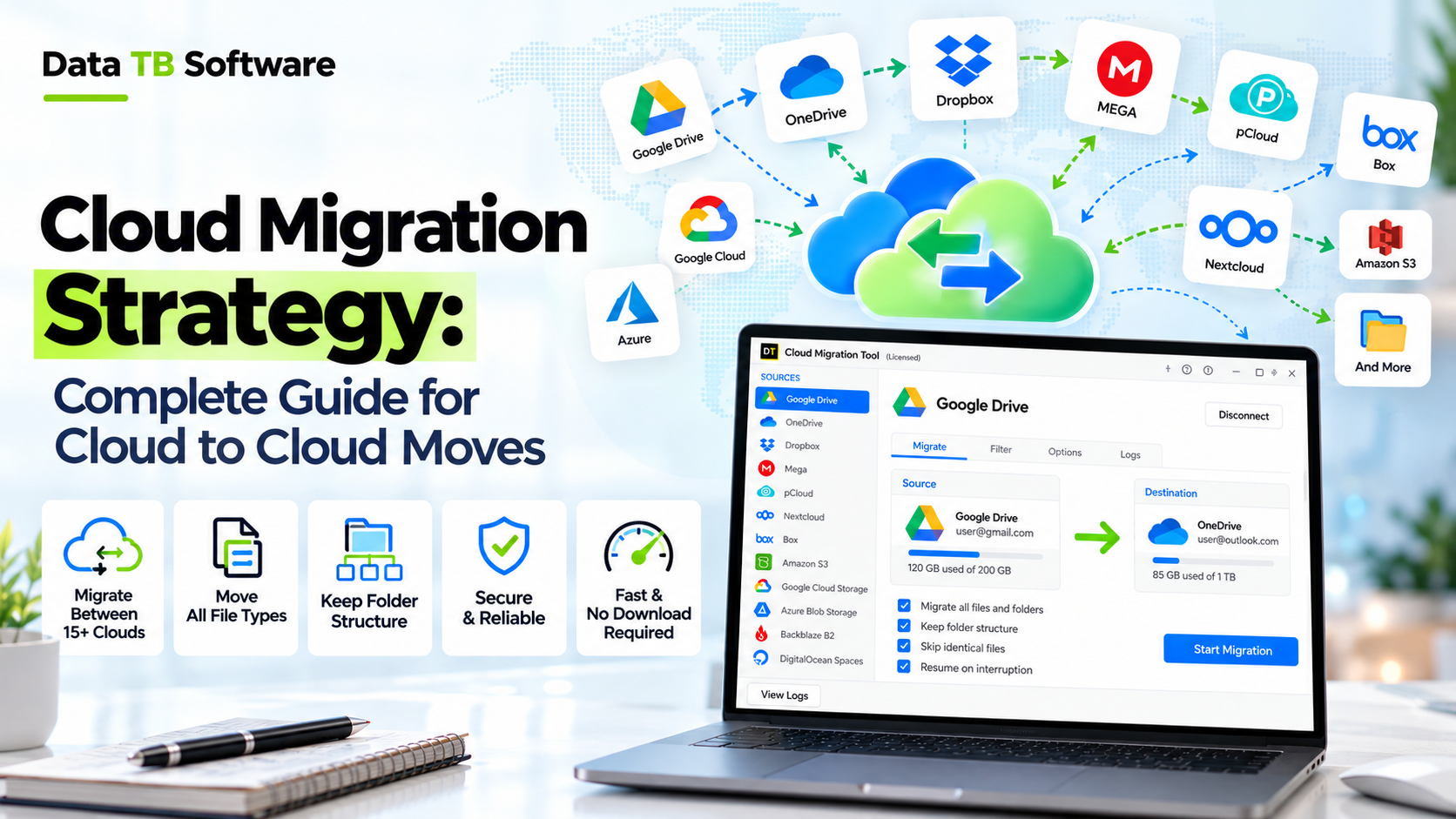
DT Cloud Storage Migrator Tool is built for exactly this job. It moves data from one cloud storage service to another, supports 15+ clouds, and handles both personal and business accounts. Its guided workflow takes you through selecting the mode, authenticating the source, previewing your data, authenticating the destination, mapping folders, configuring the migration and running it, so you see what will move before anything does.
Try DT Cloud Storage Migrator Tool
Direct server-to-server migration between 15+ cloud services. No downloading, no bandwidth bottlenecks.
| Point | DT Cloud Storage Migrator Tool | Others |
|---|---|---|
| Supported cloud services | 15+ clouds | Often a short list |
| Account types | Personal and business accounts | Varies, some cover business only |
| Preview before you migrate | Yes, you review source data first | Not always |
| Folder mapping | Yes, a dedicated mapping step | Limited or manual |
| Guided workflow | Step-by-step screens from source to migration | Varies |
| Installer | Small 8.3 MB Windows installer | Often heavier or web-console based |
Cloud Migration Tools by Category
| Job | Tool type | Examples |
|---|---|---|
| Discovery and assessment | Inventory and dependency mapping | Provider assessment services, network and log analysis |
| Server and VM moves | Replication and relocation | AWS Application Migration Service, Azure Migrate, Google Migrate to Virtual Machines |
| Infrastructure as code | Repeatable environment builds | Terraform, OpenTofu |
| Database moves | Logical replication and managed migration services | Native replication tools, provider database migration services |
| File and storage moves | Cloud storage migration | DT Cloud Storage Migrator Tool |
| Monitoring and cost | Observability and spend tracking | Provider-native monitoring and cost tools |
Cloud Migration Best Practices
- Start with a pilot. Learn on something that can fail safely.
- Automate environment builds. Infrastructure as code removes hand-built differences between old and new.
- Replicate continuously. For databases, replication lets you cut over in minutes instead of hours.
- Test restores, not just backups. A backup you have never restored is a hope.
- Measure a baseline. Capture performance before the move so you can prove it got better, or catch it when it did not.
- Communicate early and often. Users forgive planned downtime. They do not forgive surprises.
- Keep one owner per workload. Shared ownership means no ownership.
Common Cloud Migration Mistakes
- Moving everything. Retire first. Most estates hold 10 to 20 percent of systems nobody uses.
- Refactoring during the move. Change one thing at a time. Migrate, stabilize, then modernize.
- Underestimating egress and parallel running. Both show up on the invoice, not in the plan.
- Ignoring identity. Access problems account for a surprising share of go-live incidents.
- Skipping the rehearsal. The first cutover should never be the real one.
- No rollback. If you cannot go back, you cannot take risks.
- Forgetting people. Training and support matter as much as the technology.
- Never switching off the old environment. Teams pay for two clouds for months because nobody owns the shutdown.
After the Move: The First 90 Days
- Days 1 to 30: Stabilize. Watch performance and errors against your baseline, fix access problems and keep the old environment on standby.
- Days 31 to 60: Optimize. Right-size resources, remove idle assets and review the first full bill against the model.
- Days 61 to 90: Close out. Decommission the old environment, archive the documentation and run a review of what the project taught you.
How Long Does a Cloud Migration Take?
As a rule of thumb, which varies widely with complexity: a handful of simple workloads can move in a few weeks, a mid-size estate with databases and integrations usually takes a few months, and a large, regulated environment can take a year or more. The planning and dependency mapping stage is often the longest, and it is the part worth not rushing.
Frequently Asked Questions
What is a cloud migration strategy?
It is a documented plan for moving applications, data and infrastructure to the cloud or between clouds. It sets what moves, in what order, by which method, who is responsible and how success is measured.What is cloud to cloud migration?
It is moving workloads, data or services from one cloud provider to another, for example from one public cloud to a different one. It can also mean moving files between cloud storage services.What are the 7 Rs of cloud migration?
Rehost, relocate, replatform, refactor, repurchase, retire and retain. Each workload is assigned one of them depending on effort, risk and business value.What is the difference between the 6 Rs and the 7 Rs?
The 6 Rs are rehost, replatform, repurchase, refactor, retire and retain. The 7 Rs add relocate, which is especially useful for moving virtual machines between clouds with minimal change.What are the steps of a cloud migration?
Set goals, take inventory, map dependencies, assign an R to each workload, model the cost, build the landing zone, run a pilot, migrate in waves, cut over and validate, then decommission and optimize.Which cloud migration strategy is the fastest?
Rehost and relocate are the fastest, because they change little or nothing in the application. They are fast to move and not always the cheapest to run afterwards.How do I reduce downtime during migration?
Replicate data continuously, rehearse the cutover, schedule it in a low-traffic window and keep the old environment ready for rollback.What are the biggest cloud-to-cloud migration risks?
Egress fees, differences between provider services, identity and access translation, hidden dependencies and downtime during cutover.How much does cloud migration cost?
It depends on data volume, complexity and method. Use the cost formula above and include transfer, parallel running, tooling, engineering time, downtime and training.Can I migrate files between cloud storage services without downloading them manually?
Yes. A dedicated tool such as DT Cloud Storage Migrator Tool moves data between cloud storage services, supports personal and business accounts and lets you preview and map folders before the migration starts.Is multi-cloud migration a good idea?
It can be, for resilience, negotiating strength or access to specific services. It also adds complexity in skills, networking and cost tracking, so adopt it with a clear reason rather than by default.How long does a cloud migration take?
From a few weeks for a small set of workloads to a year or more for a large regulated estate. Planning and dependency mapping often take the most time.Conclusion
A strong cloud migration strategy is less about picking the cleverest method and more about making good decisions in the right order: decide why, find out what you have, retire what you do not need, assign a method to each workload, rehearse the cutover and keep a way back. Cloud to cloud moves add their own traps, mostly cost, service differences and hidden dependencies, and they reward teams that map before they move.
If part of your move involves files and cloud storage, you do not have to download and upload by hand. See how DT Cloud Storage Migrator Tool moves data between 15+ clouds, for personal and business accounts, with a preview before anything is transferred.